

Zoom
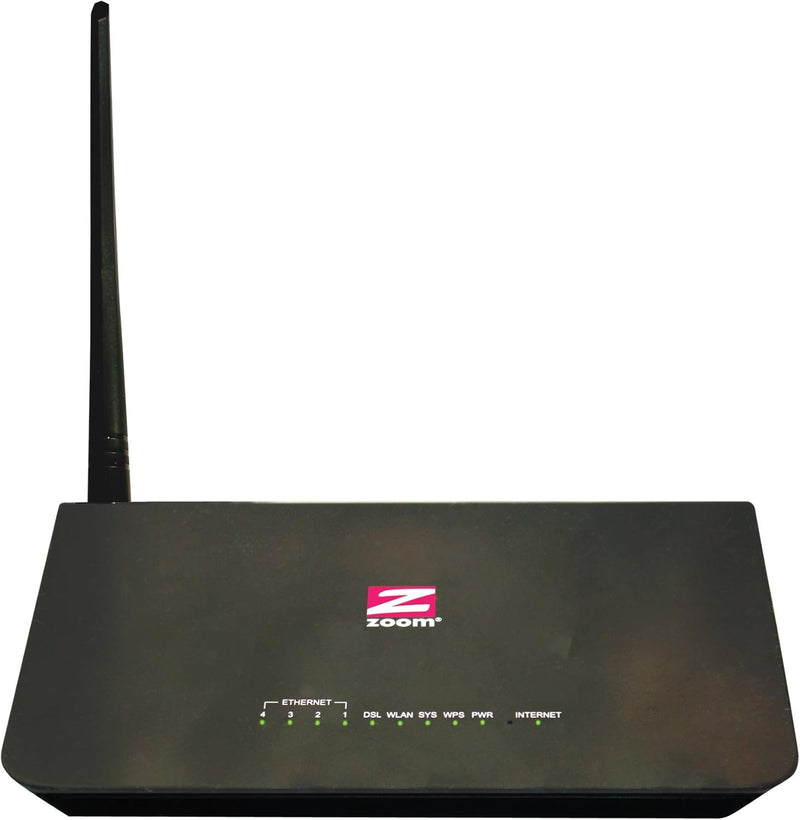
Zoom 5792: ADSL WiFi Modem Router for CenturyLink
Reliable Internet Connectivity for Your Home or Office The Zoom Telephonics Model 5792 ADSL Modem/Router provides a dependable ADSL Internet connection for all your devices. With WiFi and 4 Ethernet ports, it's perfect for homes or small offices needing a stable network. Specifications: Modem...
$69.99*
View on Amazon
✓ In Stock on Amazon.com
*Price sourced from Amazon.com. Last updated:Sep 05, 2026.Price and availability are subject to change — details.
Affiliate Disclosure: As an Amazon Associate, Studio Supplies earns from qualifying purchases made through links on this page, at no additional cost to you. This helps support our editorial team.
Notice a mistake? Let Us Know
Overview
Reliable Internet Connectivity for Your Home or Office
The Zoom Telephonics Model 5792 ADSL Modem/Router provides a dependable ADSL Internet connection for all your devices. With WiFi and 4 Ethernet ports, it's perfect for homes or small offices needing a stable network.
Specifications:
- Modem Type: ADSL
- Wireless Standard: 802.11a/b/g/n
- Wireless Speed: 150 Mbps
- Ethernet Ports: 4
- Compatibility: CenturyLink (excluding VDSL) and other popular ADSL providers
- Download Speed: Up to 27 Mbps
- Security: WPA2/WPA/WEP with WPS
Key Features
Compatible with CenturyLink and other popular ADSL protocols in the US.
Not compatible with cable-based internet connections, VDSL, fiber, or AT&T-Uverse service.
Combines a 27 Mbps ADSL modem with a wireless-n router that has four Ethernet LAN ports.
Model 5792 includes an ADSL modem/WiFi router with 150 Mbps wireless-N and four LAN ports, power cube, DSL splitter, Ethernet cable, and Quick Start flyer
Installation is easy. Plug Model 5792’s phone cord into a phone line with ADSL service, plug in Model 5792’s power cube, and use a drop-down menu selection for your service provider.
With other DSLAMs, the top download speed is 24Mbps. Actual speeds also depend on the DSL service.
If you are using the same phone jack for the modem/router and a phone, use the included DSL splitter
Specifications
Modem Type
ADSL
Router Type
Wireless-N
Wireless Speed
150 Mbps
Ethernet Ports
4 LAN ports
CenturyLink Compatibility
Yes
VDSL Compatibility
No
Fiber Compatibility
No
Cable Internet Compatibility
No
AT&T-Uverse Compatibility
No
Max Download Speed (with other DSLAMs)
24Mbps
Frequently Asked Questions
Is this modem router compatible with services other than CenturyLink?
Yes, the Zoom 5792 is compatible with CenturyLink and other popular ADSL protocols in the US, allowing for flexibility with various providers.
Can this device be used with a fiber optic internet connection?
No, this modem router is not compatible with fiber optic internet connections, VDSL, cable, or AT&T-Uverse service. It is designed for ADSL.
What is included in the box with the Zoom 5792?
The Model 5792 includes an ADSL modem/WiFi router, a power cube, a DSL splitter, an Ethernet cable, and a Quick Start flyer to assist with setup.
What is the maximum wireless speed offered by this router?
This router features 150 Mbps wireless-N connectivity, providing standard wireless speeds for everyday internet use.
How many wired connections can this modem router support?
The Zoom 5792 comes equipped with four Ethernet LAN ports, allowing for multiple wired connections to devices like computers or gaming consoles.
Is the installation process for this modem router complicated?
No, installation is designed to be easy; you plug the phone cord into an ADSL phone line, plug in the power, and select your service provider from a drop-down menu.
Will I need a separate DSL splitter if I use my phone line for both internet and a phone?
If you are using the same phone jack for both the modem/router and a phone, the included DSL splitter should be used to ensure proper functionality.
Related Products


