

How to Swap a CPU on an AM5 Motherboard (Ryzen 7000 / 9000)
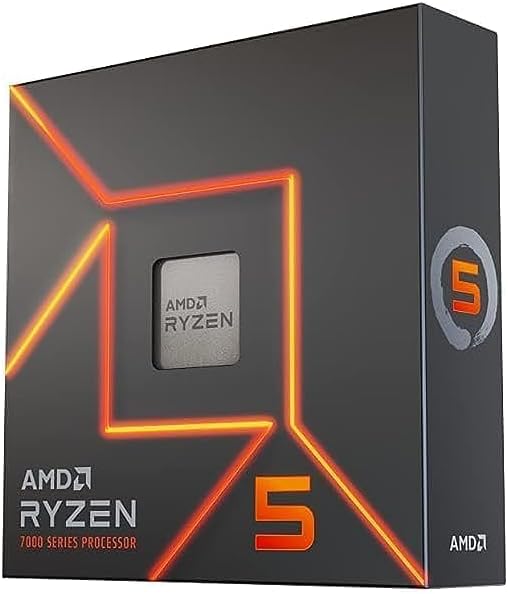
AMD's AM5 platform (LGA 1718 socket) carries AMD's official support commitment through at least 2027, making it the right upgrade foundation for Ryzen 7000 and 9000 series CPUs. Unlike AM4's PGA design where pins are on the CPU, AM5 is an LGA (Land Grid Array) socket: the 1718 contact pins are on the motherboard, and the CPU has flat gold contact pads. This means CPU handling is more forgiving — a dropped AM5 CPU does not risk bent pins — but the socket itself requires careful protection from bare metal tools. According to TechPowerUp's Ryzen 7 7800X3D review, the 3D V-Cache architecture delivers gaming performance that exceeds non-X3D parts at much higher price points. The 9800X3D adds Zen 5 IPC gains to that foundation, earning top gaming benchmark scores in TechPowerUp's independent testing.
BIOS Update Prerequisite for Ryzen 9000-Series
Installing a Ryzen 9000-series (Zen 5) CPU on a 600-series AM5 board (X670, X670E, B650, B650E) requires AGESA 1.2.0.2 or later. Without the correct firmware, the board will not POST. Check the board's CPU Support List on the manufacturer's product page to confirm compatibility and the required BIOS revision before swapping. 700-series boards (X870, X870E, B850) typically support Ryzen 9000 out of the box. Ryzen 7000-series upgrades within the 7000 lineup generally do not require a BIOS update on 600-series boards. Use BIOS Flashback (ASUS) or equivalent to flash without a working CPU installed if needed — consult the board manual for the specific port and button combination.
Safety — Protect the Socket Pins
On AM5, the socket holds 1718 LGA contact pins. Never bring a bare metal tool, screwdriver shaft, or finger directly over the open socket. A single bent socket pin is a motherboard repair, not a CPU problem. When the retention lever is open and the CPU is removed, keep the work area clear of tools. Power off fully — flip the PSU rocker switch off, press the power button once after disconnecting to discharge capacitors, touch the bare metal chassis before reaching inside.
Tools Needed
- Phillips #1 screwdriver (most AM5 cooler bracket screws)
- Isopropyl alcohol 90%+ and lint-free cloth (thermal paste removal)
- Fresh thermal paste
- Contact frame (optional — addresses IHS flatness variation on some early AM5 boards)
Installation Steps
- Back up BIOS settings and note the EXPO profile — DDR5 EXPO profile number and frequency reset after a CPU swap. Write them down or photograph the BIOS screen. Re-enabling EXPO after the swap is the most commonly missed step.
- Update BIOS if needed — for Ryzen 9000-series on 600-series boards, flash the required AGESA version with the current CPU installed before proceeding.
- Power off and discharge — shut down through the OS, flip the PSU switch off, press the power button once, touch the chassis before reaching inside.
- Remove the cooler — loosen screws diagonally, twist gently to break paste bond, lift straight up. Disconnect the CPU fan header.
- Clean IHS and cooler base — isopropyl alcohol on a lint-free cloth until both surfaces are clean and dry.
- Release the retention lever and frame — push the lever down and away from the latch, raise the retention frame. Lift the CPU out by its edges. Inspect socket pins under bright light — all pins should be uniformly straight.
- Install the new CPU — locate the orientation notch on the CPU edge. Align with the socket key and lower the CPU flat. It should seat without lateral force. Lower the retention frame and lever. Moderate resistance when latching is normal.
- Apply thermal paste and remount the cooler — pea-sized dot or light X-pattern at the center of the IHS. Most AM5 coolers use AM4-compatible mounting geometry. Tighten screws diagonally in multiple passes. Reconnect the fan header.
- Boot to BIOS, verify CPU detection — check that the correct model name and core count appear. Wrong or generic CPU name means the BIOS microcode doesn't support the new chip; flash required before continuing.
- Re-enable EXPO — memory runs at JEDEC baseline after a CPU swap. Navigate to memory settings, re-enable the EXPO profile, confirm the expected frequency. The first POST can take 60–90 seconds as the AM5 IMC re-trains DDR5 — this is normal. Do not reset during this window.
- Boot to OS and update chipset drivers — install the latest AMD chipset driver package from AMD's support and downloads page. Reboot after installation.
Troubleshooting in Brief
- 60–90 second POST delay after swap: Normal. AM5 IMC re-trains DDR5 on first boot with a new CPU. Wait it out — do not press reset.
- BIOS shows wrong CPU name: BIOS microcode does not support the new CPU. Flash the required firmware update.
- 7800X3D or 9800X3D reading 89°C at full load: Normal — AMD's official Tjmax for these 3D V-Cache parts is 89°C. Per TechPowerUp's reviews, full boost clocks are maintained up to this limit. Idle above 50°C at stock indicates a cooler seating problem.
- Memory shows at JEDEC speed: EXPO was not re-enabled. Re-enable in BIOS memory settings.
AM5 Platform Longevity
AMD committed to AM5 support through at least 2027, with Zen 5 (Ryzen 9000) not the last architecture planned for the platform. Users investing in AM5 now have a viable upgrade path for additional CPU generations without a platform change. According to AnandTech's review of the 7800X3D architecture, the AM5 IMC's DDR5 implementation offers stable EXPO support with current firmware — a meaningful improvement over early-launch behavior. The combination of DDR5 headroom and AM5's longevity makes the platform a well-positioned base for multi-generational CPU upgrades.
The full guide with BIOS update procedures, LGA socket handling, pin inspection, DDR5 EXPO re-enable, and complete troubleshooting is at studio-supplies.com/blogs/guides/cpu-swap-am5-ryzen-upgrade-guide.
Sources & Citations
- AMD, "Ryzen 7000 Series Desktop Processors," amd.com (accessed 2026-05-31)
- AMD, "Ryzen 7 7800X3D Specifications," amd.com (accessed 2026-05-31)
- AMD, "Ryzen 7 9800X3D Specifications," amd.com (accessed 2026-05-31)
- TechPowerUp, "AMD Ryzen 7 7800X3D Review," techpowerup.com (accessed 2026-05-31)
- TechPowerUp, "AMD Ryzen 7 9800X3D Review," techpowerup.com (accessed 2026-05-31)
- AnandTech, "The AMD Ryzen 7 7800X3D Review," anandtech.com (accessed 2026-05-31)
- AMD, "AM5 Platform Support FAQ," amd.com (accessed 2026-05-31)
Last verified: 2026-05-31