

Crucial MX500 SATA SSD (500GB / 1TB / 2TB) — Editorial Review & Use Cases
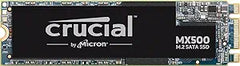
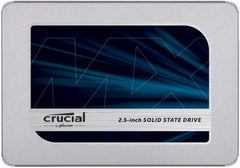
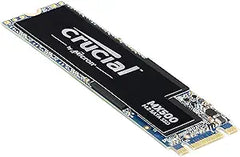
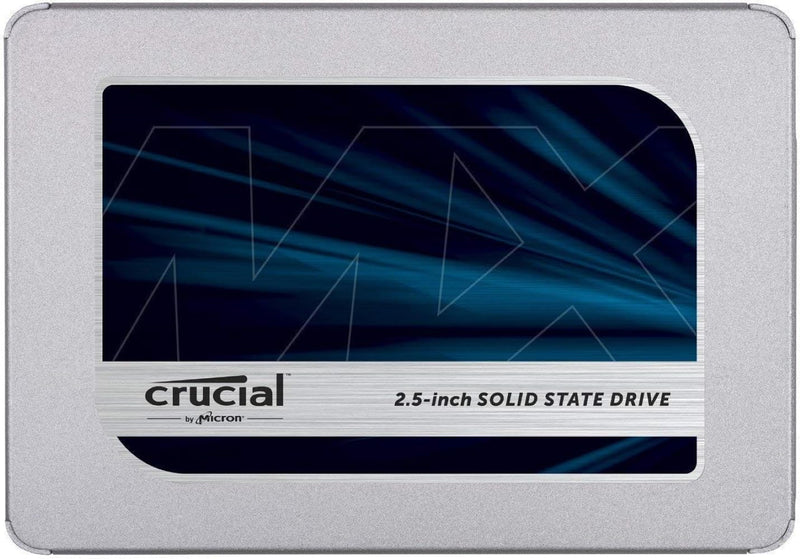
The Crucial MX500 family (CT500MX500SSD1, CT1000MX500SSD1, CT2000MX500SSD1, plus the M.2 SATA variants CT1000MX500SSD4) is Crucial's mainstream-pro SATA III SSD line — TLC NAND with DRAM cache, ~560 MB/s sequential read / 510 MB/s sequential write, 5-year warranty / 360TBW endurance (1TB model), AES-256 hardware encryption, and Power Loss Immunity protection. Per Crucial's official MX500 product page, the MX500 has been a 5+ year staple for SATA-port system upgrades, sitting one tier above the entry-level BX500 (QLC NAND, no DRAM) and below NVMe-class options.
What the MX500 Specifically Wins Over BX500
- TLC NAND (vs BX500's QLC NAND) — TLC has 3x the endurance of QLC at the same density. Real-world: MX500 handles 360TBW (terabytes written) endurance on the 1TB model vs BX500's 240TBW. Translates to longer reliable life under sustained write workloads
- DRAM cache (vs BX500's DRAM-less design) — sustained random write performance is markedly better. For databases, VMs, video edit scratch, the DRAM cache prevents the "cliff" where sustained writes drop to QLC-direct speeds (~80-100 MB/s vs MX500's sustained 500+ MB/s)
- AES-256 hardware encryption — supports OPAL 2.0 / TCG hardware encryption for secure-erase + drive-level encryption. BitLocker / FileVault leverage it for hardware-accelerated encryption
- Power Loss Immunity (PLI) — onboard capacitors flush in-flight writes to NAND on power loss. Reduces risk of file system corruption on unexpected shutdowns. Critical for desktop / workstation use
- 5-year warranty + Crucial / Micron parent reliability
- Solid SATA III interface compatibility — works with any SATA port (desktop motherboard, laptop SATA, USB-SATA enclosure) without TRIM / driver issues
- M.2 SATA variant (CT*MX500SSD4) — for M.2 SATA slots (not NVMe!) — verify motherboard slot supports SATA M.2 before purchasing this variant
Where the MX500 Specifically Fits
- SATA-port system upgrades — older motherboards / SATA-only systems where NVMe isn't an option
- Boot drive on older PCs — replaces HDD with SSD for dramatic boot + app responsiveness improvements
- Secondary game / media drive in newer PCs with NVMe primary + SATA secondary
- Mac / Linux servers + NAS arrays — TLC + DRAM + 5-year warranty + PLI is the appropriate reliability tier
- Workstation scratch drive — Photoshop / Premiere / DaVinci Resolve scratch + cache without NVMe overhead
- Database / VM hosting — sustained write performance + endurance suit small-to-medium DB workloads
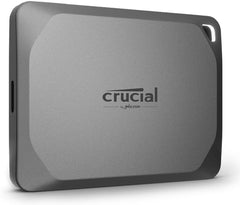
- External USB-SATA enclosure use — portable SSD with SATA III speeds (~560 MB/s) via USB 3 enclosure
- Older laptop SATA upgrade — replaces 2.5" HDD with SSD for substantial battery life + responsiveness gain
- Surveillance / DVR storage — DRAM + TLC handles continuous-write workloads
- Linux servers requiring TRIM-aware SSDs — fully supported via fstrim
Honest Limits Buyers Should Know
- SATA III caps at 560 MB/s — NVMe is 6-12x faster. For workflows where SSD speed matters (large file editing, AAA game loading, video edit timeline scrubbing), NVMe (Crucial P3, WD Black SN850, Samsung 990 PRO) is dramatically faster. SATA SSD is the "adequate for most users" tier
- Sustained writes can throttle on prolonged workloads. When the DRAM cache fills, sustained writes drop to ~200-300 MB/s direct-to-NAND. Multi-hour sustained workloads see this throttling; bursts of write activity don't
- NOT for M.2 NVMe slots. The M.2 SATA variant (CT*MX500SSD4) only fits M.2 SATA slots (B-key or B+M-key with SATA support). Modern motherboards typically have M.2 NVMe slots (PCIe / M-key). Verify slot type before buying M.2 SATA — installing M.2 SATA in M.2 NVMe slot does NOT work
- 2.5" form factor — needs SATA cable + SATA power. Desktop install needs an open SATA port + SATA power from PSU. Verify available before assuming installation works
- 4K random IOPS lag behind NVMe. NVMe Gen3 SSDs deliver ~600K IOPS at 4K QD32; MX500 delivers ~95K. For database / VM hosting workloads, this matters; for everyday use, it doesn't
- 3-bit TLC has slightly worse endurance than 2-bit MLC. Premium-tier SSDs (Samsung 970 PRO, Intel Optane) used MLC for higher endurance. MX500's TLC is mainstream-grade; not for write-heavy enterprise workloads
- SLC cache size limits. The pseudo-SLC cache (used for fast writes) is 6-9% of total capacity. After exhausting it, writes drop to TLC-direct speeds
- USB-SATA enclosure throughput depends on enclosure quality. Cheap UASP-disabled enclosures cap at 200-300 MB/s; quality ASMedia 2362-based enclosures hit the SATA III ceiling
Where Buyers Should Look Elsewhere
- NVMe-class speeds → Crucial P3 / P3 Plus, WD Black SN770 / SN850X, Samsung 970 EVO Plus / 990 PRO
- Budget SATA SSD (acceptable speed loss) → Crucial BX500 (QLC, DRAM-less, lower endurance)
- Enterprise / 24/7 write-heavy → Crucial Pro / Samsung 870 PRO (MLC) / Intel Datacenter SSDs
- External portable SSD (USB-C) → SanDisk Extreme Portable / Samsung T7 / WD My Passport SSD
- Premium SATA with longer warranty → Samsung 870 EVO (5 yr, similar specs, slightly higher price)
- Higher capacity (4TB / 8TB SATA SSD) → Samsung 870 QVO (QLC), Crucial MX500 4TB
Sources & Citations
- Crucial, "MX500 SATA SSD product family page," crucial.com (accessed 2026-05-18)
- Tom's Hardware, "SATA SSD comparison and benchmarks," tomshardware.com (accessed 2026-05-18)
- AnandTech, "Crucial MX500 review and TLC SSD coverage," anandtech.com (accessed 2026-05-18)
- Backblaze, "SSD reliability + endurance studies," backblaze.com (accessed 2026-05-18)
Last verified: 2026-05-18