

Crucial DDR5 SODIMM Laptop Memory (16GB / 32GB / 64GB / 96GB) — Editorial Review & Compatibility Guide
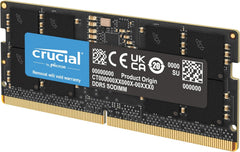
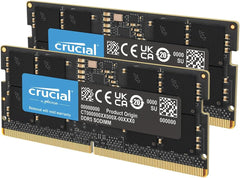
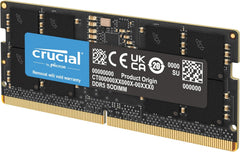
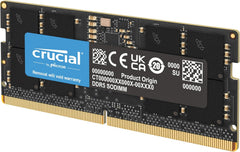
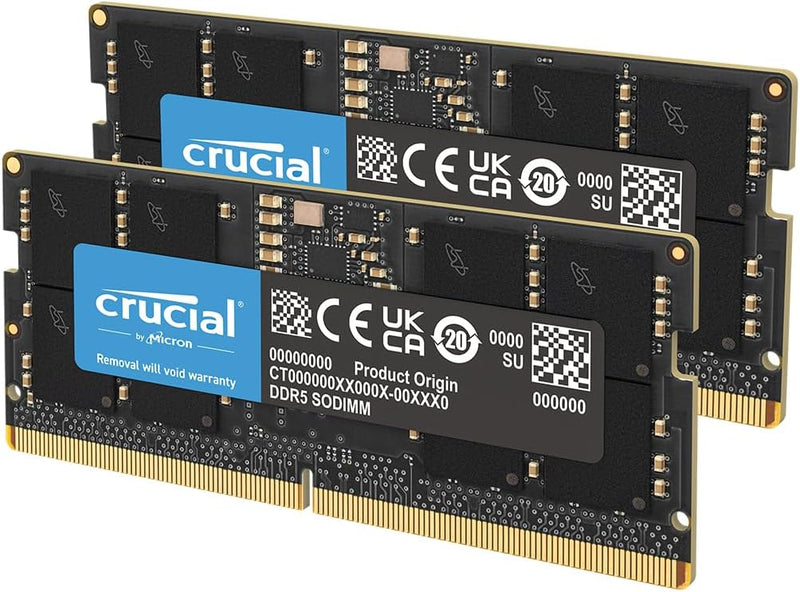
The Crucial DDR5 SODIMM family (CT16G56C46S5, CT2K16G56C46S5, CT32G56C46S5, CT2K32G56C46S5, CT2K48G56C46S5 — plus earlier 4800MHz CT2K32G48C40S5 + 8GB CL40 variants) is Crucial's laptop DDR5 memory line — designed for current-gen Intel 12th/13th/14th gen + AMD Ryzen 7040/8040 series laptops that adopted DDR5 SODIMM. Per Crucial's official CT32G56C46S5 product page, the line uses Crucial's QVL-tested compatibility across 50+ DDR5 laptop / NUC / SFF models, ships at 5600MHz CL46 latency (or 4800MHz CL40 on early variants), supports both single-module + matched 2-stick kit configurations, and includes Crucial's standard limited lifetime warranty.
What the Crucial DDR5 SODIMM Specifically Wins
- DDR5 5600MHz at JEDEC CL46 — the standard mainstream DDR5 laptop speed for Intel 12th+ + AMD Ryzen 7040+ laptops. Backward compatible to 5200/4800MHz laptops
- Crucial-built (Micron parent company) — top-tier QVL compatibility — Crucial publishes verified compatibility list for 50+ DDR5 laptops/NUCs/SFF systems
- 96GB total capacity available (2x48GB CT2K48G56C46S5) — highest available DDR5 SODIMM capacity. Recent Intel + AMD laptops with appropriate DRAM controller revisions support 48GB modules
- Matched 2-module kits eliminate timing mismatch — same manufacturing batch + matched timings
- Lifetime limited warranty
- Compatible with Dell Latitude / XPS / Precision DDR5, HP EliteBook G10+, Lenovo ThinkPad T14/X1 Carbon 11+ Gen, ASUS ROG / Zenbook, MSI, Acer, Intel NUC 13/14 series, ASUS PN64/PN66 Mini PC
- 1.1V operating voltage — DDR5 standard, slightly lower than DDR4 (1.2V) — modest battery life improvement on laptops
- On-die ECC — DDR5 spec includes on-die error correction (different from server ECC, but improves reliability)
- Single-rank or dual-rank automatic compatibility
Where the Crucial DDR5 SODIMM Specifically Fits
- Intel 12th/13th/14th gen + AMD Ryzen 7040/8040 laptops needing RAM upgrade
- Intel NUC 13 / 14 series mini PC builds
- ASUS PN64 / PN66 / Beelink modern mini PC builds
- Modern gaming laptops (ASUS ROG Strix G16/G18 with DDR5, MSI Stealth, Razer Blade 16 +)
- Workstation laptops (Dell Precision 5000/7000 DDR5, HP ZBook Studio, Lenovo ThinkPad P-series DDR5)
- 32GB upgrade for current Intel laptop with 16GB — common upgrade path
- 64GB upgrade for current Intel laptop with 32GB — for heavy creative / development
- 96GB upgrade for highest-end laptops — VFX laptop, AI dev laptop, heavy VM use on the go
- Photo editing on laptop — Lightroom + Photoshop benefit from 32-64GB on DDR5 platform
- Video editing on laptop — Premiere/FCP/Resolve 4K edit with 64GB+
- AI/ML development on laptop — small LLM fine-tuning, transformer training with 64-96GB
- Virtualization on laptop — running multiple VMs / dev environments
Honest Limits Buyers Should Know
- Verify the laptop is DDR5 (not DDR4 SODIMM). Intel 11th-gen + earlier laptops + many Intel 12th-gen laptops use DDR4 SODIMM, not DDR5. DDR5 SODIMM has different keyway position than DDR4 — they physically WON'T install in wrong slot. Verify motherboard spec sheet before purchase. For DDR4 SODIMM, use CT2K16G4SFRA32A family (Crucial DDR4 SODIMM)
- Verify the laptop's MAX RAM specification. Many laptops cap at 32GB; some at 64GB. 96GB (48GB×2) requires recent Intel/AMD DRAM controller revisions. Check manufacturer's spec sheet OR Crucial's compatibility tool BEFORE purchase
- Verify laptop has TWO SODIMM slots for 2-stick kits. Many modern ultrabooks (MacBook Air M-series, Surface Laptop, XPS 13/14, ThinkPad X1 Carbon) have SOLDERED RAM — non-upgradeable
- Apple Silicon Macs (M1/M2/M3/M4) CANNOT be upgraded. Unified memory soldered to SoC at manufacture. Period
- CL46 timings are mainstream — not enthusiast. Faster CL40/CL36/CL32 DDR5 kits exist for slight performance edge. Laptop platforms rarely benefit meaningfully; CL46 is the safe-and-stable mainstream
- 1.1V vs DDR4's 1.2V — minor battery life gain. ~3-5% improvement in DDR-related power consumption; not a game-changer
- NOT compatible with DDR4 laptops. Physical keyway prevents installation. Verify before purchase
- NOT compatible with desktop DDR5 DIMM slots. SODIMM and DIMM are different form factors
- BIOS update sometimes needed for new modules. Older laptops may not recognize newer DRAM die revisions; verify BIOS is current
- Installation requires laptop disassembly. Most modern laptops require removing bottom panel; consult laptop service manual or iFixit guide
Where Buyers Should Look Elsewhere
- DDR4 laptops (Intel 11th-gen / older, AMD Ryzen 6000 / earlier) → Crucial CT2K16G4SFRA32A DDR4 SODIMM family
- Higher capacity (128GB) — server / extreme workstation laptop only → Crucial Pro DDR5 SODIMM 32GB modules (4-slot laptops, rare in current lineup)
- Single 16GB module (8GB → 24GB upgrade) → CT16G56C46S5 single — replaces one of two pre-installed
- Single 32GB module (laptop with 1 SODIMM slot) → CT32G56C46S5 single high-capacity
- Premium / enthusiast laptop SODIMM → Kingston Fury Impact DDR5, G.SKILL Ripjaws DDR5 SODIMM at lower CL latency
- Apple Silicon Mac users → cannot upgrade RAM; buy higher-RAM model from Apple direct
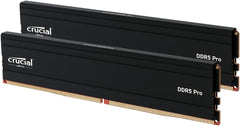
- Desktop DDR5 → Crucial Pro DDR5 DIMM, Corsair Vengeance DDR5, G.SKILL Trident Z5 (different form factor)
- 4800MHz DDR5 (older Intel 12th-gen laptops) → CT2K32G48C40S5 (Crucial 4800MHz variant — works in 5600MHz laptops at 4800 speed if user wants slower)
Sources & Citations
- Crucial, "CT32G56C46S5 DDR5 SODIMM product page," crucial.com (accessed 2026-05-18)
- Crucial Compatibility Tool, "Laptop / NUC / SFF DDR5 SODIMM compatibility lookup," crucial.com (accessed 2026-05-18)
- Tom's Hardware, "DDR5 SODIMM laptop memory coverage," tomshardware.com (accessed 2026-05-18)
- AnandTech, "DDR5 memory architecture and on-die ECC," anandtech.com (accessed 2026-05-18)
Last verified: 2026-05-18