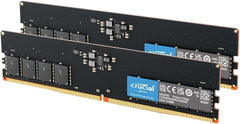
Crucial

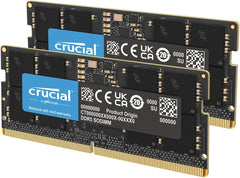
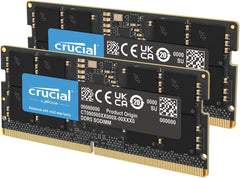
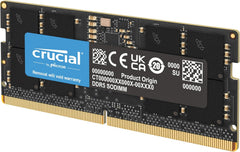
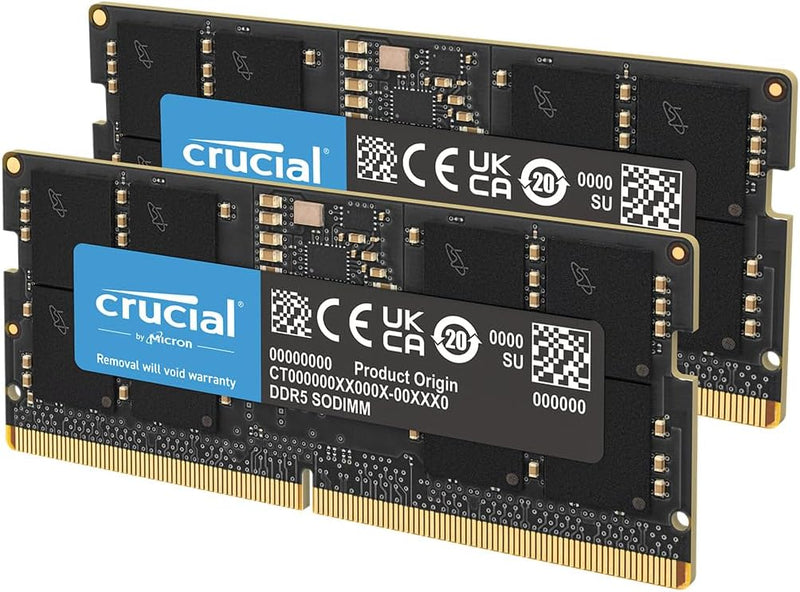
Crucial CT2K32G56C46S5 64GB DDR5 5600MHz Laptop Memory Kit

4.8 (7804 reviews)
64GB DDR5

A 64GB DDR5 SODIMM kit running at 5600MHz for laptops that demand serious multitasking bandwidth.

$725.99*
In Stock on Amazon.com
View on Amazon

*Price sourced from Amazon.com. Last updated:May 31, 2026.Price and availability are subject to change.

Affiliate Disclosure: Studio Supplies may earn a commission from qualifying purchases made through links on this page, at no additional cost to you. This helps support our editorial team.

Notice a mistake? Let Us Know

Overview

The Crucial CT2K32G56C46S5 is a 64GB DDR5 laptop memory kit comprising two 32GB SODIMM modules rated at 5600MHz. It targets users who push their laptops beyond basic productivity — video editors working with 4K timelines, developers running multiple containers or virtual machines, and power users who keep dozens of browser tabs and applications open simultaneously. The dual-module design enables dual-channel operation, effectively doubling memory bandwidth compared to a single stick and delivering the throughput that DDR5's architecture was built to provide.

Compatibility is designed to be broad within the DDR5 ecosystem. The kit supports 13th Gen Intel Core and AMD Ryzen 7000 Series laptops natively, and its ability to downclock to 5200MHz or 4800MHz means it will work in DDR5 systems that don't support the full 5600MHz speed. At 1.1V, it runs efficiently within the thermal and power constraints of a laptop, and the 262-pin SODIMM form factor with plug-and-play installation means no BIOS tuning is required — install the modules and the system recognizes them automatically.

Key Features

Boosts System Performance: 64GB DDR5 RAM laptop memory that operates at 5600MHz, 5200MHz, or 4800MHz to improve multitasking and system responsiveness for smoother performance

Accelerated gaming performance: Every millisecond gained in fast-paced gameplay counts—power through heavy workloads and benefit from versatile downclocking and higher frame rates

Optimized DDR5 compatibility: Best for 12th Gen Intel Core and AMD Ryzen 7000 Series processors — Intel XMP 3.0 and AMD EXPO also supported on the same RAM module

Trusted Micron Quality: Backed by 42 years of memory expertise, this DDR5 RAM is rigorously tested at both component and module levels, ensuring top performance and reliability

ECC type = non-ECC, form factor = SODIMM, pin count = 262-pin, PC speed = PC5-44800, voltage = 1.1V, rank and configuration = 2Rx8

Specifications

Brand
Crucial
Model
CT2K32G56C46S5
Capacity
64GB (2 x 32GB)
Memory Type
DDR5 SODIMM
Speed
5600MHz (PC5-44800)
Compatible Speeds
5200MHz, 4800MHz
Pin Count
262-Pin
Voltage
1.1V
ECC
Non-ECC
Rank / Configuration
2Rx8
Form Factor
SODIMM
Compatibility
13th Gen Intel Core, AMD Ryzen 7000 Series Laptops

Crucial DDR5 SODIMM Laptop Memory (16GB / 32GB / 64GB / 96GB) — Editorial Review & Compatibility Guide

The Crucial DDR5 SODIMM family (CT16G56C46S5, CT2K16G56C46S5, CT32G56C46S5, CT2K32G56C46S5, CT2K48G56C46S5 — plus earlier 4800MHz CT2K32G48C40S5 + 8GB CL40 variants) is Crucial's laptop DDR5 memory line — designed for current-gen Intel 12th/13th/14th gen + AMD Ryzen 7040/8040 series laptops that adopted DDR5 SODIMM. Per Crucial's official CT32G56C46S5 product page, the line uses Crucial's QVL-tested compatibility across 50+ DDR5 laptop / NUC / SFF models, ships at 5600MHz CL46 latency (or 4800MHz CL40 on early variants), supports both single-module + matched 2-stick kit configurations, and includes Crucial's standard limited lifetime warranty.

What the Crucial DDR5 SODIMM Specifically Wins

  • DDR5 5600MHz at JEDEC CL46 — the standard mainstream DDR5 laptop speed for Intel 12th+ + AMD Ryzen 7040+ laptops. Backward compatible to 5200/4800MHz laptops
  • Crucial-built (Micron parent company) — top-tier QVL compatibility — Crucial publishes verified compatibility list for 50+ DDR5 laptops/NUCs/SFF systems
  • 96GB total capacity available (2x48GB CT2K48G56C46S5) — highest available DDR5 SODIMM capacity. Recent Intel + AMD laptops with appropriate DRAM controller revisions support 48GB modules
  • Matched 2-module kits eliminate timing mismatch — same manufacturing batch + matched timings
  • Lifetime limited warranty
  • Compatible with Dell Latitude / XPS / Precision DDR5, HP EliteBook G10+, Lenovo ThinkPad T14/X1 Carbon 11+ Gen, ASUS ROG / Zenbook, MSI, Acer, Intel NUC 13/14 series, ASUS PN64/PN66 Mini PC
  • 1.1V operating voltage — DDR5 standard, slightly lower than DDR4 (1.2V) — modest battery life improvement on laptops
  • On-die ECC — DDR5 spec includes on-die error correction (different from server ECC, but improves reliability)
  • Single-rank or dual-rank automatic compatibility

Where the Crucial DDR5 SODIMM Specifically Fits

  • Intel 12th/13th/14th gen + AMD Ryzen 7040/8040 laptops needing RAM upgrade
  • Intel NUC 13 / 14 series mini PC builds
  • ASUS PN64 / PN66 / Beelink modern mini PC builds
  • Modern gaming laptops (ASUS ROG Strix G16/G18 with DDR5, MSI Stealth, Razer Blade 16 +)
  • Workstation laptops (Dell Precision 5000/7000 DDR5, HP ZBook Studio, Lenovo ThinkPad P-series DDR5)
  • 32GB upgrade for current Intel laptop with 16GB — common upgrade path
  • 64GB upgrade for current Intel laptop with 32GB — for heavy creative / development
  • 96GB upgrade for highest-end laptops — VFX laptop, AI dev laptop, heavy VM use on the go
  • Photo editing on laptop — Lightroom + Photoshop benefit from 32-64GB on DDR5 platform
  • Video editing on laptop — Premiere/FCP/Resolve 4K edit with 64GB+
  • AI/ML development on laptop — small LLM fine-tuning, transformer training with 64-96GB
  • Virtualization on laptop — running multiple VMs / dev environments

Honest Limits Buyers Should Know

  • Verify the laptop is DDR5 (not DDR4 SODIMM). Intel 11th-gen + earlier laptops + many Intel 12th-gen laptops use DDR4 SODIMM, not DDR5. DDR5 SODIMM has different keyway position than DDR4 — they physically WON'T install in wrong slot. Verify motherboard spec sheet before purchase. For DDR4 SODIMM, use CT2K16G4SFRA32A family (Crucial DDR4 SODIMM)
  • Verify the laptop's MAX RAM specification. Many laptops cap at 32GB; some at 64GB. 96GB (48GB×2) requires recent Intel/AMD DRAM controller revisions. Check manufacturer's spec sheet OR Crucial's compatibility tool BEFORE purchase
  • Verify laptop has TWO SODIMM slots for 2-stick kits. Many modern ultrabooks (MacBook Air M-series, Surface Laptop, XPS 13/14, ThinkPad X1 Carbon) have SOLDERED RAM — non-upgradeable
  • Apple Silicon Macs (M1/M2/M3/M4) CANNOT be upgraded. Unified memory soldered to SoC at manufacture. Period
  • CL46 timings are mainstream — not enthusiast. Faster CL40/CL36/CL32 DDR5 kits exist for slight performance edge. Laptop platforms rarely benefit meaningfully; CL46 is the safe-and-stable mainstream
  • 1.1V vs DDR4's 1.2V — minor battery life gain. ~3-5% improvement in DDR-related power consumption; not a game-changer
  • NOT compatible with DDR4 laptops. Physical keyway prevents installation. Verify before purchase
  • NOT compatible with desktop DDR5 DIMM slots. SODIMM and DIMM are different form factors
  • BIOS update sometimes needed for new modules. Older laptops may not recognize newer DRAM die revisions; verify BIOS is current
  • Installation requires laptop disassembly. Most modern laptops require removing bottom panel; consult laptop service manual or iFixit guide

Where Buyers Should Look Elsewhere

  • DDR4 laptops (Intel 11th-gen / older, AMD Ryzen 6000 / earlier) → Crucial CT2K16G4SFRA32A DDR4 SODIMM family
  • Higher capacity (128GB) — server / extreme workstation laptop only → Crucial Pro DDR5 SODIMM 32GB modules (4-slot laptops, rare in current lineup)
  • Single 16GB module (8GB → 24GB upgrade) → CT16G56C46S5 single — replaces one of two pre-installed
  • Single 32GB module (laptop with 1 SODIMM slot) → CT32G56C46S5 single high-capacity
  • Premium / enthusiast laptop SODIMM → Kingston Fury Impact DDR5, G.SKILL Ripjaws DDR5 SODIMM at lower CL latency
  • Apple Silicon Mac users → cannot upgrade RAM; buy higher-RAM model from Apple direct
  • Desktop DDR5 → Crucial Pro DDR5 DIMM, Corsair Vengeance DDR5, G.SKILL Trident Z5 (different form factor)
  • 4800MHz DDR5 (older Intel 12th-gen laptops) → CT2K32G48C40S5 (Crucial 4800MHz variant — works in 5600MHz laptops at 4800 speed if user wants slower)

Sources & Citations

  1. Crucial, "CT32G56C46S5 DDR5 SODIMM product page," crucial.com (accessed 2026-05-18)
  2. Crucial Compatibility Tool, "Laptop / NUC / SFF DDR5 SODIMM compatibility lookup," crucial.com (accessed 2026-05-18)
  3. Tom's Hardware, "DDR5 SODIMM laptop memory coverage," tomshardware.com (accessed 2026-05-18)
  4. AnandTech, "DDR5 memory architecture and on-die ECC," anandtech.com (accessed 2026-05-18)

Last verified: 2026-05-18
How to Replace or Upgrade Laptop SODIMM RAM

SODIMM laptop RAM upgrades are among the most accessible hardware improvements available for non-soldered notebooks — no soldering, no special certifications, and the process takes under 30 minutes. The critical first step is confirming the laptop actually has upgradeable SODIMM slots rather than soldered-on LPDDR memory. According to Notebookcheck, soldered RAM is now standard in thin-and-light and premium Ultrabook categories; upgradeable slots remain common in business laptops (ThinkPad T/E/L series, Dell Latitude), gaming laptops, and budget consumer models. Check the specific laptop's service manual or the manufacturer's memory upgrade page before purchasing.

Before You Begin: Compatibility Check

Confirm: (1) the laptop has physical SODIMM slots (not soldered), (2) the memory generation it supports (DDR4 or DDR5 — never both), (3) the number of slots, and (4) the maximum capacity per slot. Crucial's online system scanner accepts a laptop model number and returns validated compatible part numbers. This step prevents the most common mistake: purchasing the wrong generation or exceeding the slot's capacity limit.

Safety

Disconnect AC power and remove any external battery before opening the laptop. For internal non-removable batteries (the majority of laptops since 2016), shut down completely and hold the power button five seconds after unplugging to clear residual capacitor charge. Touch exposed chassis metal before handling any module to discharge static. Work on a hard, flat, non-carpeted surface.

Tools Needed

  • Phillips #00 screwdriver (most common laptop bottom-panel size)
  • Plastic spudger or pry tool (to release panel clips without scratching the chassis)
  • Antistatic wrist strap (optional but recommended in low-humidity environments)

Quick Installation Summary

  1. Shut down completely, unplug power, remove external battery if present, hold power button 5 seconds.
  2. Remove bottom panel screws (Phillips #00) and use a plastic pry tool to release the retaining clips around the perimeter.
  3. Touch the chassis metal interior to discharge static before touching any components.
  4. Locate the SODIMM slot(s). If one slot is occupied and one is empty, adding a matching second stick activates dual-channel mode for improved bandwidth.
  5. To remove an existing module: press both metal retaining clips outward simultaneously — the module springs up to 30–45 degrees. Grip by the top edge and pull straight out at that angle.
  6. Align the notch on the new module's gold-contact edge with the key ridge in the slot. DDR4 and DDR5 notches are in different positions — if the notch does not align, stop and recheck the generation.
  7. Insert the module into the slot at 30–45 degrees, pressing it firmly until contacts are fully seated.
  8. Pivot the module flat toward the motherboard surface. Press down evenly until both metal retaining clips click into the notches on the module's edges — both clips must engage.
  9. Replace any thermal film, reinstall the bottom panel, reconnect power, and boot to BIOS.
  10. Verify the new capacity appears correctly in the BIOS memory screen, then boot to the OS to confirm. No XMP/EXPO profile enable is required on most consumer laptops.

Key Difference from Desktop RAM

SODIMM latches are small metal clips on the sides of the slot — not the large plastic levers found on desktop DIMM slots. Modules are inserted at a 30-to-45-degree angle, then pivoted flat until the clips snap into place. The insertion angle and the smaller clip mechanism are the two points where first-time laptop upgraders typically need to pause. Pressing the clips outward to release a module is also more subtle than the desktop equivalent — both clips must be pressed simultaneously for the module to spring free.

Troubleshooting in Brief

  • No POST / no display: Module not fully seated — reopen, press both retaining clips firmly until they click.
  • Only one module detected: Second slot not seated or incompatible part — reseat and check compatibility list.
  • BIOS shows lower speed than rated: Expected on most laptops — JEDEC default only, no overclocking supported.
  • Module does not fit: Stop — wrong DDR generation for the laptop's slots. Do not force.
  • Random crashes post-upgrade: Run Windows Memory Diagnostic or MemTest86 from USB to test module integrity.

The full step-by-step guide with detailed safety instructions, panel-removal guidance, slot identification, and extended troubleshooting is available at studio-supplies.com/blogs/guides/sodimm-laptop-ram-upgrade-guide.

Sources & Citations

  1. Crucial, "Memory Support & Installation Resources," crucial.com (accessed 2026-05-31)
  2. Crucial / Micron, "DRAM Installation Guide (PDF)," assets.micron.com (accessed 2026-05-31)
  3. Tom's Hardware, "How to Install RAM in a PC," tomshardware.com (accessed 2026-05-31)
  4. Tom's Hardware, "How to Test RAM," tomshardware.com (accessed 2026-05-31)
  5. Notebookcheck, "Soldered vs. Upgradeable RAM — What to Look For," notebookcheck.net (accessed 2026-05-31)

Last verified: 2026-05-31

Now that you've seen the details — ready to take a closer look?

View on Amazon

Similar Products

Other products from the same family that visitors often consider:

Pros & Cons

👍 Pros

  • 64GB total capacity handles demanding workflows like 4K video editing, large code compilations, and heavy multitasking
  • 5600MHz speed with backward compatibility to 5200MHz and 4800MHz ensures broad DDR5 platform support
  • Dual-channel 2x32GB configuration maximizes memory bandwidth over a single-module setup
  • Low 1.1V operating voltage contributes to better power efficiency and less heat in a laptop chassis

👎 Cons

  • 64GB may be more capacity than needed for general productivity, making the kit costlier than necessary for basic users
  • Non-ECC design means it is not suitable for workstation or server applications requiring error correction
  • Performance gains over DDR4 are most noticeable in memory-intensive tasks and may be marginal for everyday use
  • Requires a DDR5-compatible laptop — it will not work in older DDR4 systems

Frequently Asked Questions

It is designed for laptops with DDR5 SODIMM slots, specifically supporting 13th Gen Intel Core and AMD Ryzen 7000 Series platforms. Check your laptop's specifications before purchasing.
Yes, the kit is backward compatible with 5200MHz and 4800MHz DDR5 speeds, automatically adjusting to your system's supported frequency.
The kit includes two 32GB SODIMM modules. For optimal dual-channel performance, both modules should be installed together in matched slots.
No, this is a non-ECC memory kit designed for consumer laptops, not for workstations or servers that require ECC support.