



Dell
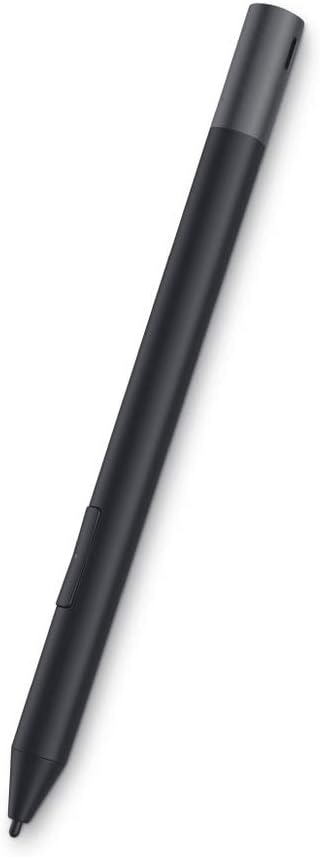
Dell PN579X Premium Active Pen Stylus Black
★★★★★
Multi-protocol active pen supporting MPP 1.51, Wacom AES 1.0, and AES 2.0 for broad Dell 2-in-1 compatibility.
$26.50*$34.99Save 24%
View on Amazon
✓ In Stock on Amazon.com
*Price sourced from Amazon.com. Last updated:Jun 04, 2026.Price and availability are subject to change.
Affiliate Disclosure: Studio Supplies may earn a commission from qualifying purchases made through links on this page, at no additional cost to you. This helps support our editorial team.
Notice a mistake? Let Us Know
Overview
Key Features
dell-pn579x
the dell premium active pen offers flexible multi-protocol compatibility with selected dell 2-in-1 devices with a windows ink compatible display.
the pen's multimode controller can be used on all protocol platforms - mpp 1.51 (microsoft pen protocol), wacom aes 1.0 and the latest wacom aes 2.0 technology.
model number: pn579x
Compatible devices: Notebook Connectivity technology: Bluetooth
Specifications
Brand
Dell
Model
PN579X
Pen Protocols
MPP 1.51, Wacom AES 1.0, Wacom AES 2.0
Connectivity
Bluetooth
Compatible Devices
Selected Dell 2-in-1 devices with Windows Ink display
Color
Black
Pros & Cons
👍 Pros
- Tri-protocol support across MPP 1.51, Wacom AES 1.0, and Wacom AES 2.0 eliminates guesswork about compatibility with supported Dell devices
- Bluetooth connectivity enables programmable shortcut buttons for quick access to apps and functions
- Windows Ink integration provides native support for inking, annotation, and drawing across Windows applications
- Single pen covers multiple Dell 2-in-1 models, reducing cost if you own or switch between several compatible devices
👎 Cons
- Compatibility is limited to selected Dell 2-in-1 devices, so it will not work with most non-Dell hardware
- Bluetooth pairing is required for button functions, adding a setup step and occasional reconnection overhead
- Pressure sensitivity levels and tilt support are not prominently specified, making it harder to evaluate for serious digital art use
- No included carrying case or clip holder for transport beyond the pen itself
Frequently Asked Questions
Which pen protocols does the Dell PN579X support?
The PN579X supports three protocols: Microsoft Pen Protocol (MPP) 1.51, Wacom AES 1.0, and Wacom AES 2.0. This multi-protocol design means it works across a wider range of compatible Dell 2-in-1 devices than single-protocol pens.
Does the PN579X work with non-Dell laptops or tablets?
The PN579X is designed and tested for selected Dell 2-in-1 devices with Windows Ink compatible displays. While its protocols are industry standards, Dell does not guarantee compatibility with non-Dell hardware.
How does the PN579X connect to a device?
The pen connects via Bluetooth for button customization and shortcut features. The actual inking and drawing input is handled through the pen digitizer protocol built into your Dell device's display.
Do I need to charge the Dell PN579X or does it use batteries?
The PN579X is an active pen that requires power. Check Dell's specifications for your specific device pairing to confirm whether it uses a rechargeable cell or a replaceable AAAA battery, as power source can vary by pen revision.
Related Products


