
G.Skill
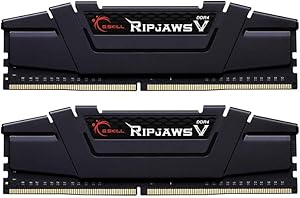
G.Skill F4-4000C17D-16GVKB Ripjaws V 16GB (2x8GB) DDR4 4000MHz RAM
High-Performance Memory for Gaming and MoreThe G.Skill Ripjaws V series DDR4 memory is designed for high-performance computing, gaming, and demanding applications. With a speed of 4000MHz and low latency, it provides a responsive and stable experience. Specifications: Brand: G.Skill Mode...
Check availability
Affiliate Disclosure: As an Amazon Associate, Studio Supplies earns from qualifying purchases made through links on this page, at no additional cost to you. This helps support our editorial team.
Notice a mistake? Let Us Know
Overview
High-Performance Memory for Gaming and More
The G.Skill Ripjaws V series DDR4 memory is designed for high-performance computing, gaming, and demanding applications. With a speed of 4000MHz and low latency, it provides a responsive and stable experience.
Specifications:
- Brand: G.Skill
- Model: F4-4000C17D-16GVKB
- Type: DDR4
- Capacity: 16GB (2 x 8GB)
- Speed: DDR4-4000 (4000MHz)
- Latency: CL17
- Form Factor: DIMM 288-PIN
- Buffered/Unbuffered: Unbuffered
Key Features
F4-4000C17D-16GVKB
Specifications
Model Number
F4-4000C17D-16GVKB
RAM Type
DDR4
Capacity
16GB (2x8GB)
Speed
4000MHz
CAS Latency
C17
Frequently Asked Questions
What is the total capacity of the G.Skill Ripjaws V RAM kit?
The G.Skill Ripjaws V kit provides a total capacity of 16GB, distributed across two 8GB DDR4 modules (2x8GB).
What is the operating speed of this RAM?
This RAM kit operates at a high speed of 4000MHz, offering quick data processing for your system.
What does the "C17" in the model number (F4-4000C17D-16GVKB) signify?
The "C17" indicates a CAS Latency of 17, which is a measure of the delay between when the memory controller requests data and when the data is available.
Is this RAM compatible with all motherboards?
This DDR4 RAM requires a motherboard that supports DDR4 memory and can handle speeds of 4000MHz. Users should check their motherboard's QVL (Qualified Vendor List) for guaranteed compatibility.
Will this RAM automatically run at 4000MHz once installed?
To achieve the advertised 4000MHz speed, you typically need to enable the Extreme Memory Profile (XMP) in your motherboard's BIOS settings. Otherwise, it may default to a lower standard speed.
Is this a single RAM stick or a kit?
This is a kit comprising two 8GB DDR4 modules, designed for dual-channel operation to maximize memory bandwidth and system performance.
Related Products


