



HP
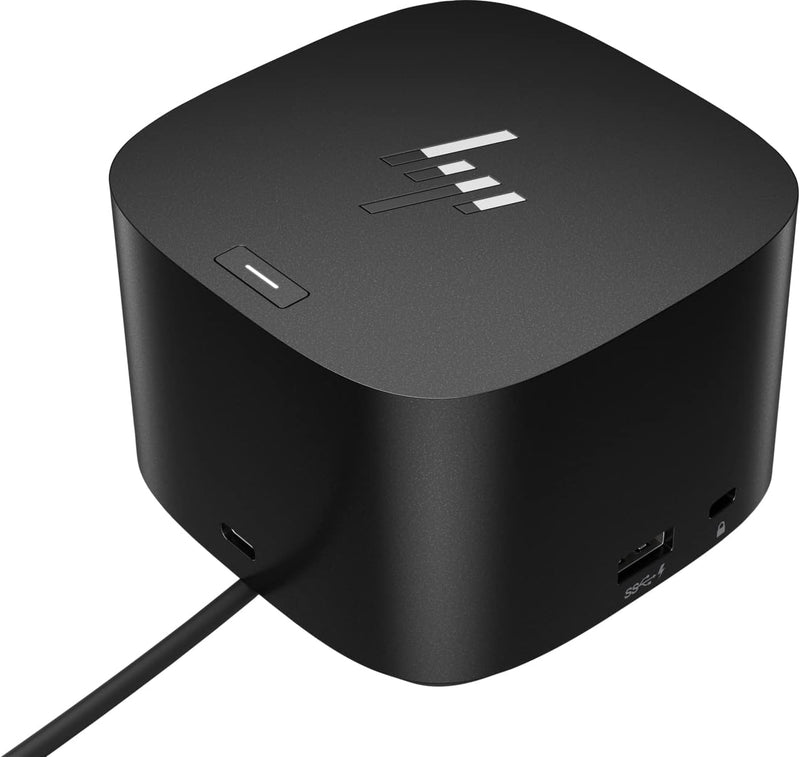
HP 280W G4 Thunderbolt Dock Combo Cable
280WUSB-C
Connect, Protect, and Power Your Productivity The HP Thunderbolt Dock 280W G4 is designed to enhance your connectivity, security, and productivity. With Thunderbolt 4, HDMI, USB-C, USB-A, and Ethernet ports, this dock supports multiple devices and displays. Easy device management and expanded com...
$279.89*
View on Amazon
✓ In Stock on Amazon.com
*Price sourced from Amazon.com. Last updated:Oct 23, 2026.Price and availability are subject to change — details.
Affiliate Disclosure: As an Amazon Associate, Studio Supplies earns from qualifying purchases made through links on this page, at no additional cost to you. This helps support our editorial team.
Notice a mistake? Let Us Know
Overview
Connect, Protect, and Power Your Productivity
The HP Thunderbolt Dock 280W G4 is designed to enhance your connectivity, security, and productivity. With Thunderbolt 4, HDMI, USB-C, USB-A, and Ethernet ports, this dock supports multiple devices and displays. Easy device management and expanded compatibility make it ideal for ITDMs and hybrid workers.
Specifications:
- Brand: HP
- Model: 4J0G4AA
- Ports: Thunderbolt 4, HDMI, 2 USB-C, 2 DisplayPort, 4 USB-A 3.2, RJ45 Ethernet
- Power: 280W
- Compatibility: Laptops, smartphones, tablets running Windows 11, Windows 10, MacOS, or Chrome OS with USB-C or Thunderbolt connectivity
Key Features
The Dock that Protects your Connected Devices.
More ports means more capabilities. With a TB4, HDMI, two USB-C, two DisplayPorts, four USB-A 3.2 ports and an RJ45 Ethernet port, you can connect multiple devices like a keyboard and mouse.
Expanded Compatibility. Easy Connectivity. The Power To Be Productive.
Device Management Made Easy.
What's in the box: Dock, power supply, power cord, warranty card.
Specifications
Brand
HP
Model
280W G4 Thunderbolt Dock Combo Cable
Connectivity
Thunderbolt 4, HDMI, 2x USB-C, 2x DisplayPort, 4x USB-A 3.2, RJ45 Ethernet
Protection Feature
Protects connected devices
Compatibility
Expanded
Device Management
Easy
Included Accessories
Dock, power supply, power cord, warranty card
Frequently Asked Questions
What types of ports are available on the HP 280W G4 Thunderbolt Dock Combo Cable?
The dock offers a wide array of ports including one TB4, one HDMI, two USB-C, two DisplayPorts, four USB-A 3.2 ports, and one RJ45 Ethernet port.
Does this docking station help protect my connected devices?
Yes, one of the key features of the HP 280W G4 Thunderbolt Dock Combo Cable is its ability to protect your connected devices.
Is the HP 280W G4 Thunderbolt Dock Combo Cable compatible with a wide range of devices?
The dock is designed with expanded compatibility, allowing for easy connection to a variety of systems and peripherals.
What is included in the box with the HP 280W G4 Thunderbolt Dock Combo Cable?
The package includes the dock unit, a power supply, a power cord, and a warranty card, providing everything needed for setup.
Are there any specific details about the power delivery capabilities of this dock?
The features state the dock provides "The Power To Be Productive" but do not specify exact wattage for power delivery.
Related Products


