



HP
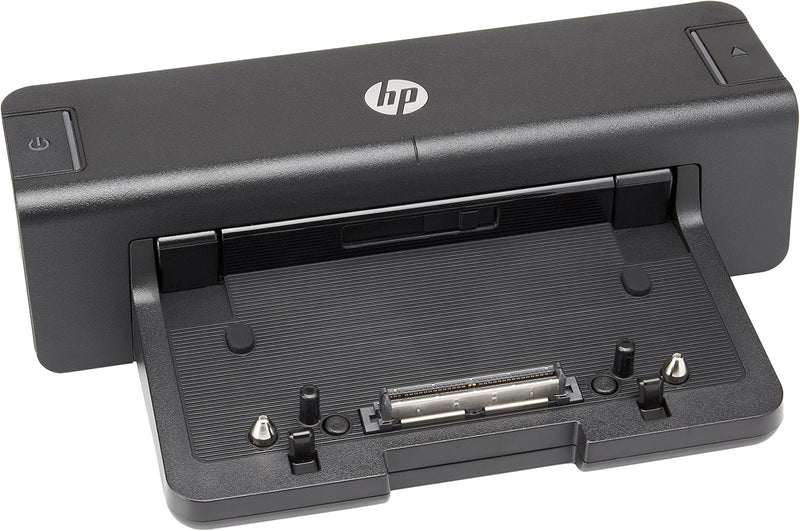
HP A7E32 Hewlettt Packard 90W Docking Station - US
90WUSB 3.0DisplayPort
Simplify Your Workspace with Seamless Connectivity Introducing the Hewlett Packard HP A7E32 90W Docking Station, designed to streamline your workspace by eliminating the hassle of rerouting cables and reconnecting devices. Compatible with HP ProBook and EliteBook series, this docking station off...
$14.70*$18.99Save 22%
Check availability
*Price sourced from Amazon.com. Last updated:Oct 23, 2026.Price and availability are subject to change — details.
Affiliate Disclosure: As an Amazon Associate, Studio Supplies earns from qualifying purchases made through links on this page, at no additional cost to you. This helps support our editorial team.
Notice a mistake? Let Us Know
Overview
Simplify Your Workspace with Seamless Connectivity
Introducing the Hewlett Packard HP A7E32 90W Docking Station, designed to streamline your workspace by eliminating the hassle of rerouting cables and reconnecting devices. Compatible with HP ProBook and EliteBook series, this docking station offers comprehensive connectivity options, enhancing productivity and efficiency.
Specifications:- Ports: 4x USB 3.0, 1x DVI, 1x DisplayPort, 1x VGA
- Legacy Ports: 2x PS/2, 1x Parallel, 1x LAN
- Audio: 1x Line in Jack, 1x Headphone Jack
- Other: 1x Connector for Monitor Stand
- Compatibility: HP ProBook b-Series, HP EliteBook 8xxx p Series, HP EliteBook 8xxx w Series
Key Features
Avoid the hassle at your workplace rerouting of cables and reconnecting devices
Enables the replication of laptop's display to external monitors
4 x USB 3.0, 1 x DVI, 1 x DisplayPort, 1 x VGA
2 x PS/2, 1 x Parallel, 1 x LAN, 1 x Line in Jack, 1 x headphone jack, 1 x connector for Monitor Stand
Compatible with HP ProBook b-Series Notebook PCs, HP EliteBook 8xxx p Series Notebook PCs, and HP EliteBook 8xxx w Series Mobile Workstations
Specifications
Power Delivery
90W
USB Ports
4 x USB 3.0
Video Outputs
1 x DVI, 1 x DisplayPort, 1 x VGA
Legacy Ports
2 x PS/2, 1 x Parallel
Network Port
1 x LAN
Audio Ports
1 x Line in Jack, 1 x Headphone Jack
Compatibility
HP ProBook b-Series, HP EliteBook 8xxx p Series, HP EliteBook 8xxx w Series
Monitor Stand Connector
1 x connector for Monitor Stand
Frequently Asked Questions
Which HP laptops are compatible with this docking station?
This docking station is compatible with HP ProBook b-Series Notebook PCs, HP EliteBook 8xxx p Series Notebook PCs, and HP EliteBook 8xxx w Series Mobile Workstations.
What types of video outputs are available on this docking station?
The HP 90W Docking Station provides a variety of video outputs, including one DVI port, one DisplayPort, and one VGA port, allowing for connection to various external monitors.
Does this docking station offer USB 3.0 connectivity?
Yes, it is equipped with four USB 3.0 ports, providing fast data transfer speeds for your peripherals and external devices.
Can I connect a monitor stand directly to this docking station?
Yes, the docking station includes a specific connector designed for a monitor stand, enabling an integrated setup.
What is the primary benefit of using this docking station?
The main benefit is avoiding the hassle of rerouting cables and reconnecting multiple devices every time you dock or undock your laptop, simplifying your workstation setup.
Related Products


