

HP
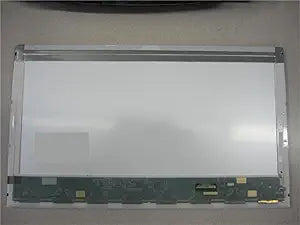
HP Pavilion dv7t-3300 CTO 17.3" WXGA++ Laptop Screen
A 17.3" WXGA++ LED replacement screen for the HP Pavilion dv7t-3300 CTO laptop with 1600x900 resolution.
View price on Amazon
Affiliate Disclosure: As an Amazon Associate, Studio Supplies earns from qualifying purchases made through links on this page, at no additional cost to you. This helps support our editorial team.
Notice a mistake? Let Us Know
Overview
Replacement Screen for HP Pavilion dv7t-3300 CTO Laptop
Replace your damaged or malfunctioning laptop screen with this high-quality 17.3" LED replacement screen for the HP Pavilion dv7t-3300 CTO. Ensure compatibility by verifying the screen type, size, resolution, and connector position.
- Size: 17.3 inches
- Type: LED
- Resolution: WXGA++ 1600x900
- Connector Location: Bottom Right (when facing the back of the screen)
Frequently Asked Questions
How do I confirm this replacement screen is compatible with my laptop?
Verify that your laptop model is the HP Pavilion dv7t-3300 CTO, the screen size is 17.3", the resolution is 1600x900 WXGA++, and the connector is located at the bottom right when facing the back of the screen.
Is this an LED or CCFL backlit screen?
This is an LED backlit screen, which is thinner and more energy-efficient than older CCFL panels. It is not interchangeable with CCFL screens.
Does this screen come with installation tools or instructions?
Replacement screens are typically sold as the panel only. You will need basic tools such as small Phillips-head screwdrivers and a plastic pry tool, along with a service manual or video guide for your specific laptop model.
Where is the video connector located on this screen?
The connector is located at the bottom right when facing the back of the screen. This must match your laptop's cable routing for proper installation.
Related Products

