

Lenovo
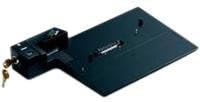
Lenovo 39T4587 ThinkPad Advanced Mini Dock Europe
USB 2.0
Expand Your Connectivity with EaseThe ThinkPad Advanced Mini Dock is a port replicator designed to enhance the connectivity of your ThinkPad laptop. This docking station provides a convenient way to connect to peripherals, displays, and network devices, making it an ideal solution for both office...
Check availability
Affiliate Disclosure: As an Amazon Associate, Studio Supplies earns from qualifying purchases made through links on this page, at no additional cost to you. This helps support our editorial team.
Notice a mistake? Let Us Know
Overview
Expand Your Connectivity with Ease
The ThinkPad Advanced Mini Dock is a port replicator designed to enhance the connectivity of your ThinkPad laptop. This docking station provides a convenient way to connect to peripherals, displays, and network devices, making it an ideal solution for both office and mobile use.
- Compatibility: ThinkPad Laptops
- Type: Port Replicator
- Region: Europe
Key Features
Top-left corner alignment for easy system attachment
Standard device ports - 4 USB 2.0 ports, 1 PS/2 port for keyboard or mouse, serial and parallel ports
Audio/video ports - Microphone in, headphone out, S/PDIF (digital audio), DVI (not supported by ThinkPads with integrated graphics), VGA
Communication ports - Gigabit Ethernet (RJ-45) and modem (RJ-11)
Integrated key lock and security lock slot to secure both the ThinkPad notebook and the Advanced Mini Dock
Compatible with next generation (60 Series and higher) ThinkPad Z, T and R Series notebooks. Does not support earlier ThinkPad models
Specifications
Model Number
39T4587
Product Name
ThinkPad Advanced Mini Dock
USB Ports
4 x USB 2.0
Peripheral Ports
1 x PS/2 (keyboard or mouse), Serial, Parallel
Audio Ports
Microphone in, Headphone out, S/PDIF (digital audio)
Video Ports
DVI, VGA
Network Ports
Gigabit Ethernet (RJ-45), Modem (RJ-11)
Security Features
Integrated key lock, Security lock slot
Compatibility
ThinkPad Z, T, R Series (60 Series and higher)
Frequently Asked Questions
Which ThinkPad models are compatible with this Advanced Mini Dock?
This dock is compatible with next generation (60 Series and higher) ThinkPad Z, T, and R Series notebooks. It does not support earlier ThinkPad models.
Can I use the DVI port on this dock if my ThinkPad has integrated graphics?
No, the DVI port on this dock is not supported by ThinkPads that feature integrated graphics.
How many USB ports does the ThinkPad Advanced Mini Dock have, and what is their speed?
The dock features four USB 2.0 ports.
Does this dock provide power to the connected ThinkPad?
The description mentions "easy system attachment" but does not explicitly detail power delivery capabilities.
Is there a way to secure both the laptop and the dock from theft?
Yes, the dock includes an integrated key lock and a security lock slot to secure both the ThinkPad notebook and the Advanced Mini Dock.
Can I connect both a keyboard and a mouse using the PS/2 port?
The PS/2 port is described as "1 PS/2 port for keyboard or mouse," suggesting it is a single port for one of these devices, or requires a Y-splitter for both.
Related Products


