



Lenovo
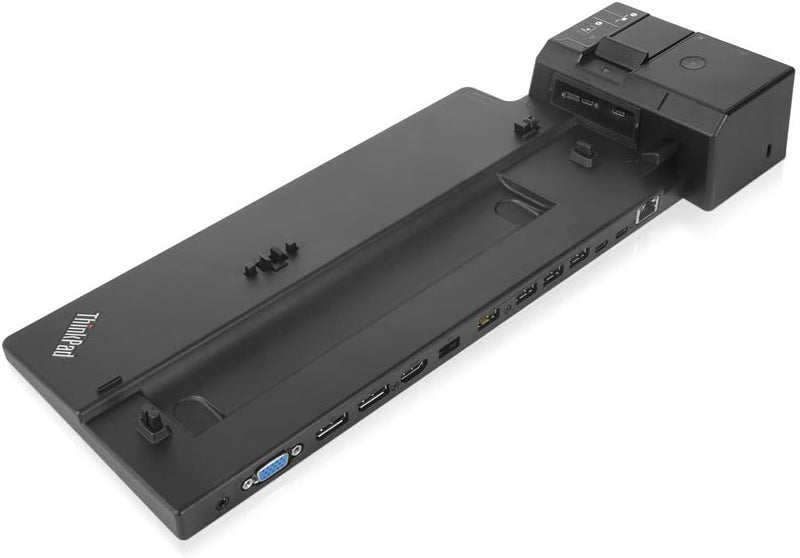
Lenovo 40AJ0135US ThinkPad Ultra Docking Station
135WUSB-CDisplayPort
Lenovo ThinkPad Ultra Docking Station delivers triple 4K display support, 10 Gbps USB 3.1, and enterprise management features.
View price on Amazon
Affiliate Disclosure: As an Amazon Associate, Studio Supplies earns from qualifying purchases made through links on this page, at no additional cost to you. This helps support our editorial team.
Notice a mistake? Let Us Know
Overview
Key Features
- Lenovo USA ThinkPad Ultra Docking Station (P/N; 40AJ0135US ) For P52s, L580, L480, T580, P580p, T480s, T480, X1 Carbon Gen 6, X280.
- Lenovo retail packaging includes the Ultra dock, 135W Slim tip AC adapter with 2 pin power Cord, 2 locking keys, set up poster.
- 1 HDMI port, Intel vapor, PXE Boot, Wake-On LAN, and Mac address pass-through, optional master key lock. Allows for a 3 monitor hook up.
- 4x USB 3. 1 Gen2 (10Gbps) with 1 always-on USB charging, 2x USB-C ports (10Gbps, 5V 3a power), 10/1000 Gigabit Ethernet, 2x DisplayPort 1. 4, 1x HDMI 2. 0, 1x VGA, 1x Stereo/mic combo Audio port, 1x DC-in.
Compatible Devices: Thinkpad A485, L480, L580, P52S, T480, T480S, T580, X1 Carbon 20Kg, 20Kh, X280
Specifications
USB Ports
4x USB 3.1 Gen2 (10 Gbps), 2x USB-C (10 Gbps, 5V/3A)
Display Outputs
2x DisplayPort 1.4, 1x HDMI 2.0, 1x VGA
Max External Displays
3 UHD displays
Ethernet
10/1000 Gigabit Ethernet
Audio
1x Stereo/Microphone Combo
Power Input
1x DC-in
USB Charging
15W via USB-C, 10.5W via USB 3.0 always-on port
Enterprise Features
Intel vPro, PXE Boot, Wake-on-LAN, MAC Address Pass-Through
Connection Type
Side Connector (driver-free)
Brand
Lenovo
Model
40AJ0135US
Frequently Asked Questions
Which ThinkPad models are compatible with this docking station?
It supports a wide range of ThinkPad laptops including the T480, T480s, T490, T490s, T495, T495s, T580, T590, X280, X390, X395, X390 Yoga, X1 Carbon (6th and 7th Gen), X1 Yoga (4th Gen), L480, L490, L580, L590, A285, A485, P43s, P52s, and P53s.
How many external displays can this dock support simultaneously?
It supports up to three external UHD displays using its two DisplayPort 1.4 ports, one HDMI 2.0 port, and one VGA port.
Does this docking station require driver installation?
No, it uses a side connector that provides a driver-free connection to your ThinkPad, allowing immediate use when docked.
Can this dock charge devices through its USB ports?
Yes, it can deliver 15W of charging power through the USB-C port and 10.5W from the USB 3.0 always-on power port, suitable for charging phones and tablets.
Does it support enterprise network management features?
Yes, it supports Intel vPro, PXE Boot, Wake-on-LAN, and MAC address pass-through, which are critical for IT departments managing fleets of devices.
Related Products


