



Lenovo
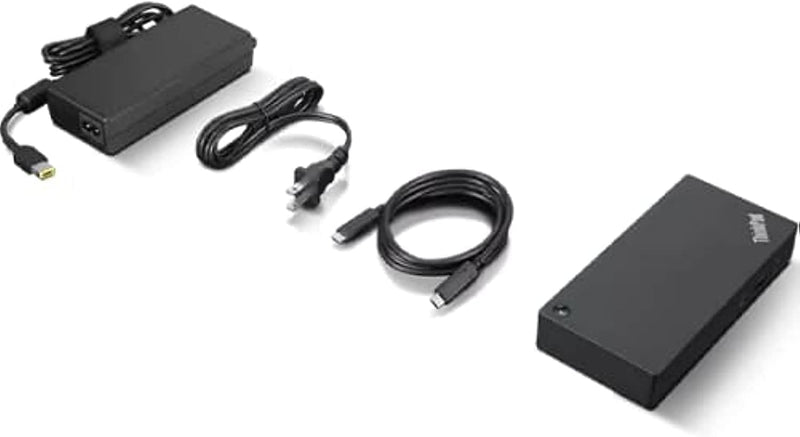
Lenovo 40AY0090 ThinkPad Universal USB-C Dock
USB-C
Expand Your Connectivity with a Single Cable The Lenovo ThinkPad Universal USB-C Dock is a versatile docking solution designed to enhance your productivity. Connect all your peripherals with a single USB-C cable and enjoy rapid charging capabilities, making it perfect for office or home use. Spe...
$100.00*$125.00Save 20%
View on Amazon
✓ In Stock on Amazon.com
*Price sourced from Amazon.com. Last updated:Oct 25, 2026.Price and availability are subject to change — details.
Affiliate Disclosure: As an Amazon Associate, Studio Supplies earns from qualifying purchases made through links on this page, at no additional cost to you. This helps support our editorial team.
Notice a mistake? Let Us Know
Overview
Expand Your Connectivity with a Single Cable
The Lenovo ThinkPad Universal USB-C Dock is a versatile docking solution designed to enhance your productivity. Connect all your peripherals with a single USB-C cable and enjoy rapid charging capabilities, making it perfect for office or home use.
Specifications:
- Brand: Lenovo
- Model: 40AY0090
- Connectivity: USB-C
- Ports: Multiple USB ports, HDMI, Ethernet, Audio
- Power Delivery: Up to 100W (with optional 135W adapter)
- Compatibility: ThinkPad and other USB-C notebooks
- Dimensions: 8.27 x 6.22 x 2.95 inches
- Weight: 12 ounces
- Color: Black
Key Features
One Dock. No Limits. One Cable. No Clutter.
Ideal for both office-based and remote working, its an IT managers dream critical firmware updates are installed automatically and traditional IT tools, such as PXE boot, WOL, and MAC Address Pass Through, are also supported.
ThinkPad Universal USB-C Dock lets you savour blazing-fast data transfers, rapidly charge USB-C notebooks, and plug and play displays and other PC accessories.
This advanced one-cable docking solution gives you more desk-space to work and play with.
Whether end users are in the office, hot-desking, or working from home, IT managers can remotely and securely gather key information about the dock and its attached devices with minimal interruption to the users workflow.
Specifications
Model
ThinkPad Universal USB-C Dock
Connectivity
USB-C (one-cable solution)
Charging
Rapidly charges USB-C notebooks
IT Management
PXE boot, WOL, MAC Address Pass Through, Remote information gathering, Automatic firmware updates
Compatibility
USB-C notebooks
Frequently Asked Questions
What makes the ThinkPad Universal USB-C Dock convenient for users?
The ThinkPad Universal USB-C Dock offers a one-cable solution, reducing clutter and allowing for blazing-fast data transfers, rapid charging of USB-C notebooks, and easy connection of displays and PC accessories.
How does this docking station benefit IT managers, especially for remote workers?
For IT managers, the dock provides automatic critical firmware updates and supports traditional IT tools like PXE boot, WOL, and MAC Address Pass Through, while also allowing remote and secure gathering of dock and device information with minimal user interruption.
Does this dock support charging for USB-C notebooks?
Yes, the ThinkPad Universal USB-C Dock is designed to rapidly charge USB-C notebooks, providing power while connected.
Can this docking station be used in various work environments?
The Lenovo ThinkPad Universal USB-C Dock is ideal for both office-based and remote working scenarios, adapting to different user needs.
Related Products


