



Lenovo
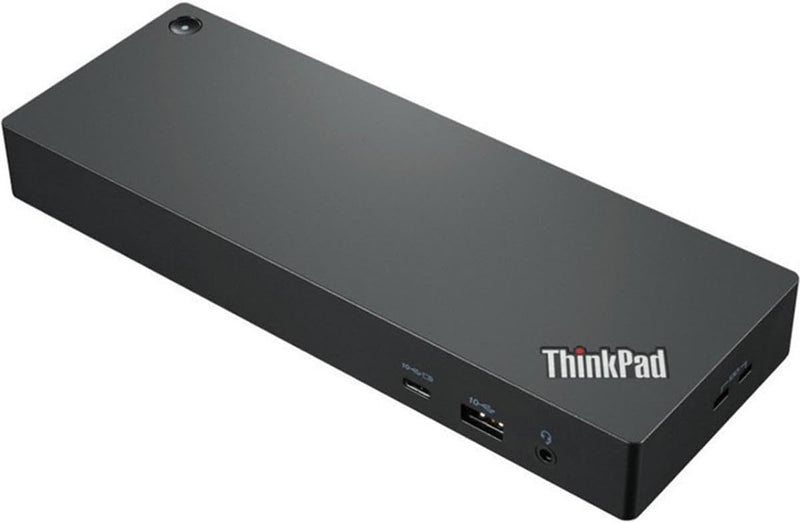
Lenovo 40B00300US ThinkPad Thunderbolt 4 Workstation Dock
Thunderbolt 4
One Thunderbolt 4 cable delivers 230W of power, 40 Gbps of data, and up to four 4K displays to transform any ThinkPad into a full workstation.
$239.89*$243.99Save 1%
View on Amazon
✓ In Stock on Amazon.com
*Price sourced from Amazon.com. Last updated:Oct 23, 2026.Price and availability are subject to change — details.
Affiliate Disclosure: As an Amazon Associate, Studio Supplies earns from qualifying purchases made through links on this page, at no additional cost to you. This helps support our editorial team.
Notice a mistake? Let Us Know
Overview
Key Features
Expand your horizon with versatile display
Efficiency and creativity to the peak
Specifications
Brand
Lenovo
Model
40B00300US
Series
ThinkPad
Connectivity
Thunderbolt 4
Data Transfer Rate
Up to 40 Gbps
Power Delivery
Up to 230W
Display Support
Single 8K@30Hz or up to 4x 4K@60Hz
USB Ports
5 total
HDMI Ports
1
Ethernet
1 port
Other Ports
DisplayPort, USB Type-C, Thunderbolt
Security
vPro/AMT passthrough
Firmware
Silent automatic upgrades
Dimensions
10.7" L × 7.7" W × 3.5" H
Weight
1 lb (dock only)
Color
Black/Red
Wattage
230W
Frequently Asked Questions
Does this dock work with non-Lenovo laptops?
Thunderbolt 4 is an Intel-standardized protocol, so the dock will establish a connection with any Thunderbolt 4-equipped laptop. However, Lenovo engineers and validates this dock specifically for ThinkPad hardware — power delivery behavior, vPro/AMT passthrough, and firmware update compatibility are optimized for Lenovo notebooks. Non-Lenovo users may experience reduced power delivery or limited feature access depending on their system's Thunderbolt implementation.
What display configurations does this dock support?
The dock supports a single 8K display at 30Hz or up to four simultaneous 4K displays at 60Hz. Output ports include one HDMI and DisplayPort connections via Thunderbolt — the specific combination of active displays will depend on your laptop's GPU capabilities and the Thunderbolt bandwidth budget.
How much power does this dock deliver to a connected laptop?
Up to 230W of power delivery through the single Thunderbolt 4 cable connection. This is sufficient to charge and sustain high-performance ThinkPad workstation models under load — including models with discrete GPUs — without a separate power adapter.
What data transfer speeds can I expect through the dock's USB ports?
The Thunderbolt 4 host connection runs at 40 Gbps. Individual USB port speeds depend on the port type — the dock has 5 USB ports total. Thunderbolt 4 inherently supports USB 3.2 Gen 2 speeds (10 Gbps) on USB-A ports, with the Thunderbolt ports themselves capable of full 40 Gbps for compatible devices.
Does the dock support firmware updates without user intervention?
Yes — the dock supports silent firmware upgrades, meaning updates can be deployed automatically through Lenovo's Dock Manager software without requiring manual user steps or system interruptions.
Related Products


