

Lenovo
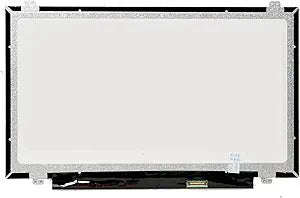
Lenovo A892724F799K Thinkpad L440 14" LED Screen HD
Direct-fit 14-inch HD replacement LCD screen for the Lenovo ThinkPad L440 — restore your display without guesswork.
View price on Amazon
Affiliate Disclosure: As an Amazon Associate, Studio Supplies earns from qualifying purchases made through links on this page, at no additional cost to you. This helps support our editorial team.
Notice a mistake? Let Us Know
Overview
Replace Your Damaged Screen with a Compatible Display
This is a compatible replacement LCD LED screen display panel WXGA HD designed for Lenovo IBM THINKPAD L440 20AS001NUS 14.0" laptop.
- Screen Size: 14.0 inches
- Resolution: WXGA HD
- Type: LCD LED
- Compatibility: Lenovo IBM THINKPAD L440 20AS001NUS
Frequently Asked Questions
Is this screen compatible with all ThinkPad L440 models?
This screen is listed as compatible with the Lenovo IBM ThinkPad L440 20AS001NUS specifically. Other L440 sub-models may use the same panel, but you should verify your exact model number before purchasing.
What is the resolution of this replacement screen?
It is a WXGA HD resolution panel, which is the standard HD resolution for 14-inch ThinkPad L440 displays.
Is this an OEM Lenovo screen or a compatible third-party panel?
This is listed as a compatible replacement screen, meaning it is designed to match the specifications of the original panel but may not be the same brand originally installed by Lenovo.
Does installation require soldering or special tools?
Replacing a laptop screen on the ThinkPad L440 typically involves removing bezel screws, disconnecting the video cable, and swapping the panel. No soldering is required, though a small screwdriver set is recommended.
Is this a touchscreen panel?
No, this is a standard LCD LED display panel without touch functionality.
Related Products

