



LG
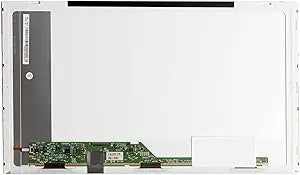
LG LED-1366-768-G-40-15.6-EE9578 15.6" Laptop LCD Screen Replacement
A compatible 15.6" LED-backlit LCD replacement screen to restore your laptop's WXGA HD display.
View price on Amazon
Affiliate Disclosure: As an Amazon Associate, Studio Supplies earns from qualifying purchases made through links on this page, at no additional cost to you. This helps support our editorial team.
Notice a mistake? Let Us Know
Overview
Specifications
Screen Size
15.6"
Resolution
1366 x 768 (WXGA HD)
Backlight Type
LED
Finish
Glossy
Connector
40-pin
Brand
LG
Model
LED-1366-768-G-40-15.6-EE9578
Frequently Asked Questions
What resolution does this replacement screen support?
This screen supports WXGA HD resolution at 1366x768 pixels with LED backlighting.
How do I know if this LCD screen is compatible with my laptop?
This is a 15.6" screen with a 40-pin connector. You'll need to verify your laptop uses a 15.6" display with a 40-pin LED connector and 1366x768 resolution. Check your original screen's part number or connector type before purchasing.
Is this screen glossy or matte?
This is a glossy (G) finish screen, which provides vivid colors but may show more reflections than a matte display.
Does installing this screen require soldering or specialized tools?
No soldering is required. Installation typically involves removing the bezel, unscrewing the old panel, disconnecting the ribbon cable, and connecting the new screen in reverse order. A small Phillips screwdriver and a plastic pry tool are usually all you need.
Related Products

