



Logitech
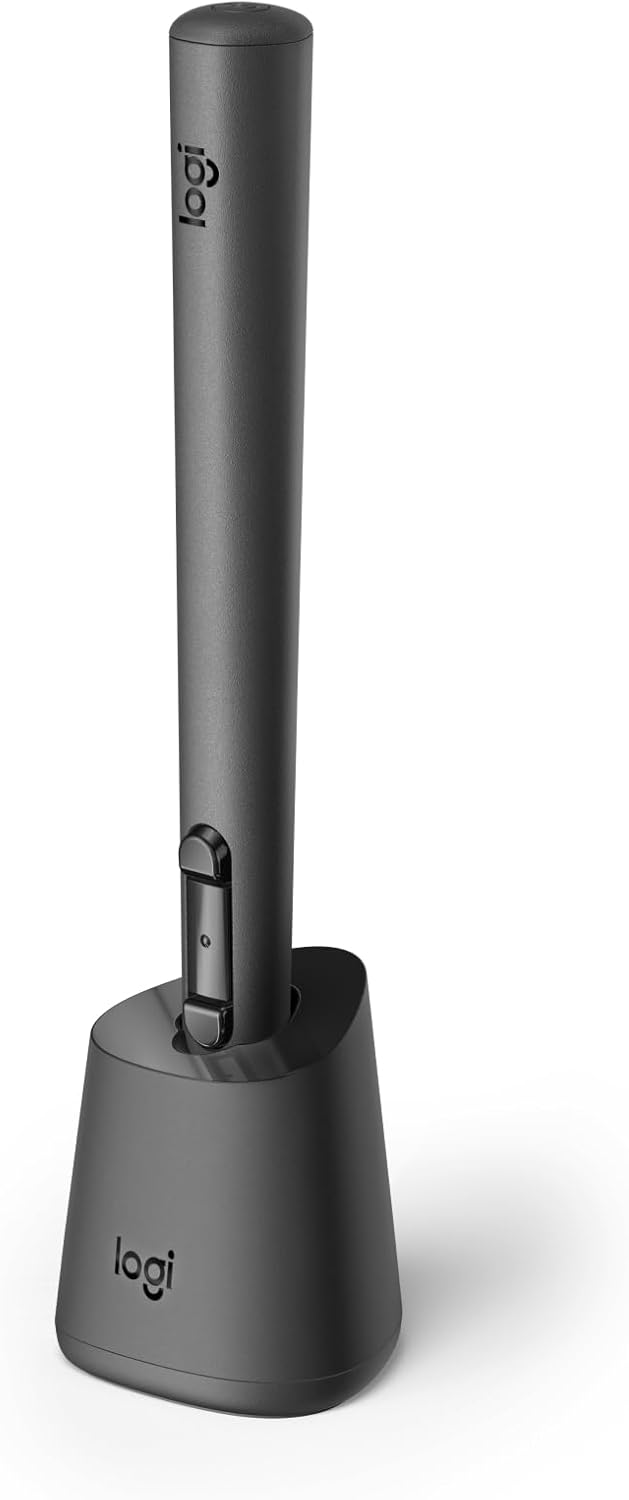
Logitech 914-000087 MX Ink Stylus MR Meta Quest
USB-C
A 6DoF mixed-reality stylus that brings natural pen input to Meta Quest for precision 3D sketching and design.
View price on Amazon
Affiliate Disclosure: As an Amazon Associate, Studio Supplies earns from qualifying purchases made through links on this page, at no additional cost to you. This helps support our editorial team.
Notice a mistake? Let Us Know
Overview
Key Features
Experience high-precision creations and operations in Mixed Reality (MR) with the familiar feel of a pen; say goodbye to learning curves, save time, and stay seamlessly in your workflow
Easily recharge the wireless MX Ink stylus by simply placing it in the included MX Inkwell Charging Dock or with a USB-C cable (not included)
MX Ink MR Stylus is designed and built to effortlessly connect with your Meta Quest and work alongside your Meta Touch Controllers; transition smoothly from 2D to 3D, then back again without disrupting your workflow
Enjoy high-precision creativity and control with a pressure-sensitive tip (1 fine tip/ 1 wide tip included) and main button of this stylus; sketch, grab, move, and manipulate fluidly in mixed reality (MR)
Deep integration in Meta Settings lets you tailor your control, pressure curves, activation forces; select right or left-handed control, and configure button mapping
High-accuracy 6DoF with balanced button feel, pressure, tactility, and haptics achieves seamless spatial tracking; a must for MR applications
Last up to 7 hours in a typical workflow; battery life varies significantly based on headset and applications; parameters based on Meta Quest 3 usage estimates
Specifications
Brand
Logitech
Model
914-000087
Tracking
6DoF (six degrees of freedom)
Pressure Sensitivity
Yes (customizable curves)
Included Tips
1 fine tip, 1 wide tip
Battery Type
Lithium-Ion Polymer
Battery Life
Up to 7 hours (typical workflow)
Charging
MX Inkwell Dock (included) or USB-C
Compatible Devices
Meta Quest 2, Meta Quest 3 (OS V69+)
Weight
1.02 ounces
Dimensions
6.46 x 0.72 x 0.72 inches
Color
Black
Frequently Asked Questions
Which Meta Quest headsets does the Logitech MX Ink work with?
The MX Ink is compatible with Meta Quest 2, Meta Quest 3, and later models running Meta Quest OS V69 or later. Compatibility is managed through the Meta Horizon app and Meta Settings.
How long does the MX Ink battery last on a single charge?
Logitech estimates up to 7 hours of use in a typical workflow, based on Meta Quest 3 usage. Actual battery life varies depending on the headset and applications being used.
How do you charge the MX Ink stylus?
You can place it in the included MX Inkwell Charging Dock for wireless charging, or connect it directly via a USB-C cable (cable not included).
Can the MX Ink be used alongside Meta Touch Controllers?
Yes, it is designed to work alongside your existing Touch Controllers. You can switch between the stylus and controllers without disrupting your workflow, allowing fluid transitions between pen input and standard VR interactions.
Does the MX Ink support pressure sensitivity?
Yes, the tip is pressure-sensitive and the stylus ships with both a fine tip and a wide tip. You can customize pressure curves and activation forces through Meta Settings.
Related Products


