



Logitech
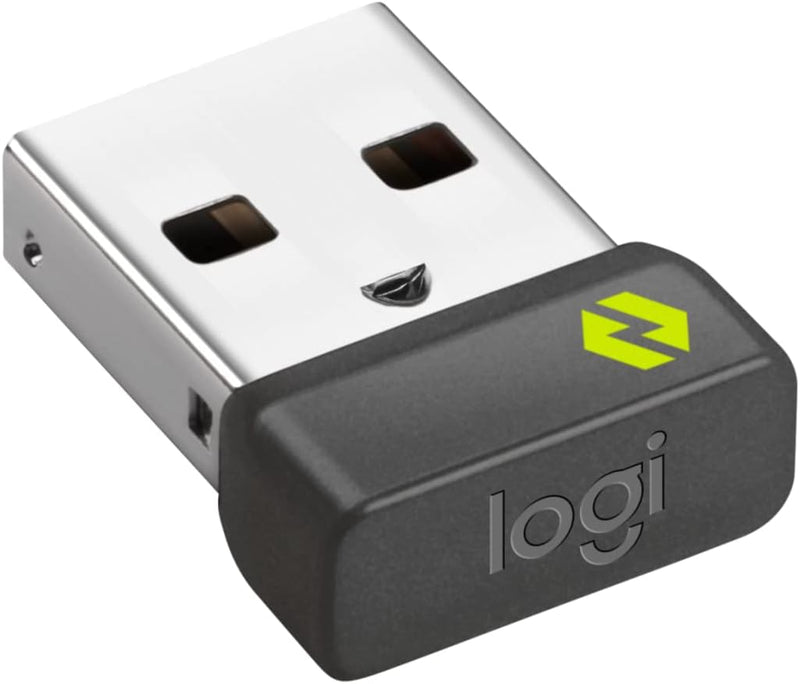
Logitech 956-000007 Logi Bolt USB Receiver
★★★★★
One nano receiver connects up to six Logi Bolt devices with AES-128 encryption across up to 10 meters — even in RF-saturated office environments.
$13.83*$14.99Save 7%
View on Amazon
✓ In Stock on Amazon.com
*Price sourced from Amazon.com. Last updated:Jun 04, 2026.Price and availability are subject to change.
Affiliate Disclosure: Studio Supplies may earn a commission from qualifying purchases made through links on this page, at no additional cost to you. This helps support our editorial team.
Notice a mistake? Let Us Know
Overview
Key Features
FOR BACKUP OR MULTI-COMPUTER USE - Have it handy in case you need to replace the receiver that came with your Logi Bolt wireless device. Connect to two different computers with a strong, secure Logi Bolt wireless connection on both devices. Use it with your Flow-enabled Logi Bolt mouse for your multi-computer workflows. These are just a few reasons to buy a Logi Bolt receiver.
RELIABLE, SECURE WIRELESS - Designed for security and high performance, Logi Bolt delivers a strong and secure, no drop-off connection for up to 10 meters (33 feet)¹, even in congested wireless environments. Compatible with: Windows, macOS, Linux, Chrome OS.
DISCRETE AND CONVENIENT - One port is all it takes. Once the receiver is plugged in, you can keep it installed. Take your laptop and connected Logi Bolt devices with you to different workspaces and keep working.
ONE RECEIVER - 6 DEVICES - Connect up to 6 Logi Bolt wireless keyboards and mice to one computer with a single Logi Bolt receiver and forget the hassle of multiple USB receivers. Plus, keep one wireless keyboard/mouse set in each workspace, then simply move your laptop into range. No need to carry or commute with mice or keyboards.
Specifications
Model
956-000007
Interface
USB 2.0
Wireless Protocol
Logi Bolt (2.4 GHz)
Encryption
AES-128
Maximum Paired Devices
6 (keyboards and mice)
Wireless Range
Up to 10 meters (33 feet)
Compatible OS
Windows, macOS, Linux, Chrome OS
Color
Graphite
Weight
0.51 oz
Pros & Cons
👍 Pros
- Pairs up to six Logi Bolt devices to one USB port, eliminating dongle sprawl on machines with limited USB real estate.
- AES-128 encrypted connection with frequency hopping delivers measurably more stable performance than standard 2.4 GHz dongles in dense wireless environments.
- Nano form factor stays permanently flush in a laptop port without protruding enough to snag or break during transport.
- Cross-platform support — Windows, macOS, Linux, Chrome OS — without driver installation for core HID functions.
- Compatible with Logi Bolt Flow mice, enabling seamless multi-computer workflows with a second receiver on the second machine.
👎 Cons
- Not backward-compatible with the Logitech Unifying protocol — existing Unifying-paired peripherals require a separate Unifying receiver and cannot be migrated to this dongle.
- Single USB 2.0 interface only; no USB-C version available, requiring a separate USB-A adapter on modern thin-and-light laptops with only USB-C ports.
- Pairing management requires Logitech Options+ software for device reassignment — without it, re-pairing a device to a different receiver is non-trivial for end users.
- Six-device limit, while generous, is a hard ceiling — a fully loaded receiver cannot accept additional devices without dropping an existing pairing.
Frequently Asked Questions
Is this receiver backward-compatible with older Logitech Unifying receivers or devices?
No. The Logi Bolt receiver uses a different wireless protocol than the Unifying receiver (orange logo). Logi Bolt devices require a Logi Bolt receiver, and Unifying devices require a Unifying receiver — they are not cross-compatible.
How many devices can I pair to a single Logi Bolt receiver?
Up to six Logi Bolt wireless keyboards and mice can be paired to one receiver simultaneously on a single computer. This eliminates the need for multiple USB dongles in a multi-device desk setup.
What operating systems does the Logi Bolt receiver support?
Windows, macOS, Linux, and Chrome OS. No proprietary driver installation is required for basic HID functionality, though Logitech Options+ software unlocks advanced customization features.
What is the wireless range and how does it perform in crowded 2.4 GHz environments?
Rated range is 10 meters (33 feet). Unlike standard 2.4 GHz wireless peripherals, Logi Bolt uses frequency hopping and AES-128 encryption, which measurably reduces drop-outs in congested office environments with many competing Wi-Fi and Bluetooth signals.
Can I use this receiver with Logitech Flow to control multiple computers?
Yes, provided you have a second Logi Bolt receiver on the second computer. Flow-enabled Logi Bolt mice will use both receivers to enable cursor movement and clipboard sharing between two machines.
Related Products


