



Logitech
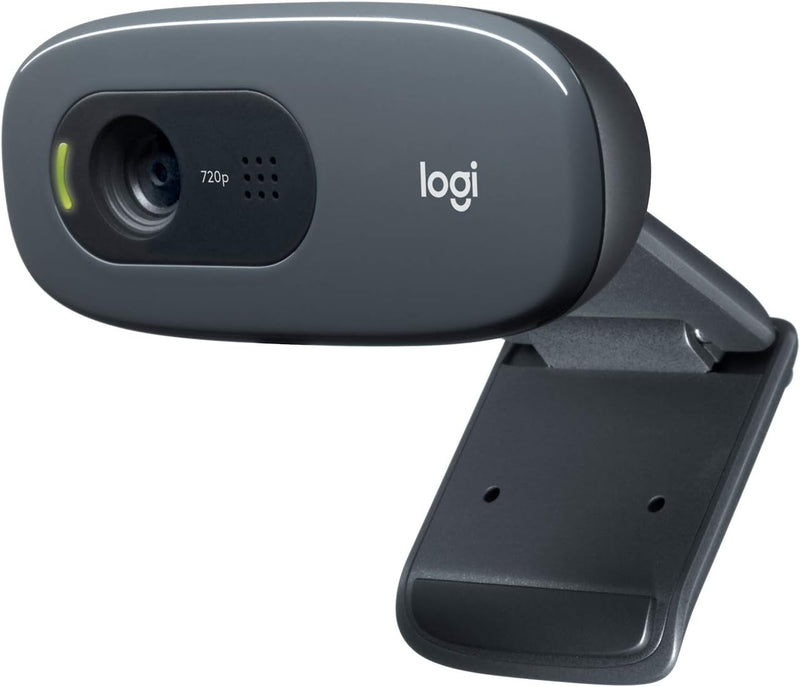
Logitech 960-000694 C270 HD Webcam - Black
Plug-and-play HD 720p video calling with automatic light correction — no drivers, no configuration, just reliable clarity for daily meetings.
$16.89*$29.99Save 43%
View on Amazon
✓ In Stock on Amazon.com
*Price sourced from Amazon.com. Last updated:Aug 27, 2026.Price and availability are subject to change — details.
Affiliate Disclosure: As an Amazon Associate, Studio Supplies earns from qualifying purchases made through links on this page, at no additional cost to you. This helps support our editorial team.
Notice a mistake? Let Us Know
Overview
Key Features
Firmly Fixed
Widescreen HD 720p Video Calls
Pure And Simple HD Video Calls
Specifications
Brand
Logitech
Model
960-000694 (C270)
Video Resolution
HD 720p (1280 x 720)
Still Photos
3 MP (software enhanced)
Light Correction
Logitech RightLight™ (automatic)
Noise Reduction
Logitech RightSound™
Connectivity
Wired USB
Color
Black
Frequently Asked Questions
Does the C270 require driver installation, or is it plug-and-play?
It's plug-and-play via USB on Windows and macOS — the operating system recognizes it without manual driver installation in most cases. This is one of its genuine practical strengths for users who don't want to manage software.
What resolution does the C270 capture at, and is 720p sufficient for video calls?
The C270 captures at 1280x720 (HD 720p). For standard video conferencing on Zoom, Teams, or Google Meet, 720p is fully adequate — the platforms themselves often compress streams below the camera's native resolution, making 1080p cameras largely redundant for most calling scenarios.
What does Logitech RightLight technology actually do?
RightLight automatically adjusts exposure to compensate for backlit or unevenly lit environments — if you're sitting in front of a bright window, the camera attempts to bring your face into proper exposure rather than silhouetting you. It won't substitute for a proper lighting setup, but it meaningfully improves the result in typical home or office conditions.
How does the C270 mount — is it stable on a laptop lid and external monitor?
The C270 uses a fixed clip mount designed to sit on laptop lids and flat-top monitors. It holds securely on standard thin-bezel screens and is straightforward to reposition between surfaces.
Is the built-in microphone usable for calls, or is a headset still recommended?
RightSound noise reduction helps suppress background noise, making the built-in mic functional for standard video calls. In a quiet environment it performs adequately. In noisier spaces — open offices, home environments with ambient sound — a headset or separate USB microphone will produce noticeably cleaner audio.
Related Products


