



Logitech
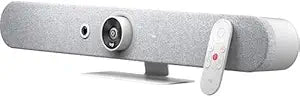
Logitech 960-001348 Rally Bar Mini Video Conferencing System
The Logitech Rally Bar Mini brings AI-driven 4K video conferencing to small rooms — plug in USB and the room is ready to meet.
$2,999.09*$3,299.00Save 9%
View on Amazon
✓ In Stock on Amazon.com
*Price sourced from Amazon.com. Last updated:Aug 30, 2026.Price and availability are subject to change — details.
Affiliate Disclosure: As an Amazon Associate, Studio Supplies earns from qualifying purchases made through links on this page, at no additional cost to you. This helps support our editorial team.
Notice a mistake? Let Us Know
Overview
Key Features
Distance doesn't matter. Digital zoom of the camera 4x will capture the details of the farthest of objects.
3840 x 2160 video resolution and 30 fps frame rate collectively preserve the colors and clarity to keep it close to reality
No wires, no troubles! Connect the webcam through a wireless device
With the cohesive microphone, the sound is clearly discernible, which adds as a bonus to the visuals
Inside is the USB 3.0 interface that makes sure the webcam - computer connection is discernibly permanent without any disturbances
Specifications
Model Number
960-001348
Frequently Asked Questions
What is the maximum video resolution the Rally Bar Mini outputs?
The Rally Bar Mini captures and outputs at up to 3840x2160 (4K UHD). This requires the receiving platform (Teams, Zoom, Google Meet) to support 4K video — most platforms currently cap group calls below 4K for bandwidth reasons, but the camera itself captures at full 4K for optimal downscaled quality.
Does the Rally Bar Mini work as a standalone device or does it require a connected PC?
The Rally Bar Mini can operate in both USB mode (connected to a PC or Mac) and as a standalone appliance with supported video conferencing platforms. In appliance mode it runs Zoom Rooms or Microsoft Teams Rooms directly, without a host computer.
How does the AI-driven camera tracking work, and how quickly does it respond to movement?
The AI tracks active speakers and adjusts the camera view automatically — panning, tilting, and zooming to keep participants framed. Response speed is fast enough for normal conversational movement; it's designed to keep up with speaker transitions in small-room huddle scenarios without jarring snap-cuts.
What is the 4x digital zoom capability, and when is it useful?
Digital zoom crops and enlarges the 4K sensor output — since the native resolution is 4K, a 4x digital zoom still maintains meaningful image quality for a 1080p output stream. It's useful in small rooms where the camera's fixed mounting position is farther from participants than ideal.
Does the Rally Bar Mini include its own microphone and speaker system?
Yes — the Rally Bar Mini is a fully integrated audio/video conferencing bar. Microphone arrays and speakers are built in, eliminating the need for separate audio peripherals in a small room. The product is designed as an all-in-one room system, not a camera-only device.
Related Products


