



Logitech
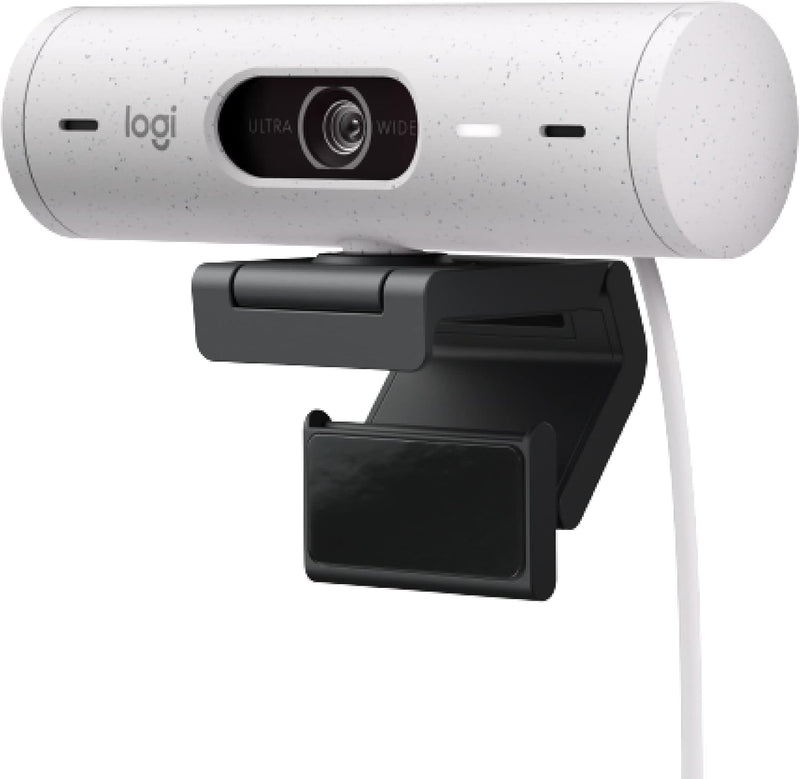
Logitech 960-001427 Brio 500 Full HD Webcam
1080p
The Logitech Brio 500 delivers Full HD 1080p video with auto light correction and auto-framing to keep you looking sharp on every call.
$123.49*$129.99Save 5%
Check availability
*Price sourced from Amazon.com. Last updated:Aug 29, 2026.Price and availability are subject to change — details.
Affiliate Disclosure: As an Amazon Associate, Studio Supplies earns from qualifying purchases made through links on this page, at no additional cost to you. This helps support our editorial team.
Notice a mistake? Let Us Know
Overview
Key Features
Compatible with Nintendo Switch 2 Console
Advanced Image Quality: Full HD 1080p webcam resolution provides outstanding image quality so everyone can see you clearly during meetings
Auto Light Correction (RightLight 4): RightLight 4 video lighting technology automatically adjusts to the lighting in your environment, so you can be seen clearly even in low light
Auto-Framing (RightSight): Auto-framing (1)(3) centers the video camera on you, allowing you to stand and move during meetings without leaving the frame
Show Mode: Present your work or other objects on your desk with Show Mode, which lets you tilt the web camera up or down with one hand
Dual Noise Reduction Microphones: Be heard clearly in noisy environments thanks to noise canceling mics that filter out background sound during calls
Webcam with Privacy Cover: To protect your privacy between meetings, simply rotate the integrated webcam privacy shutter to completely block the camera
90-Degree Field of View: A wider-than-normal FOV gives you extra space to move around or have a second person on the camera with you; use Logi Tune to zoom in or out to a full 90º width
Logi Tune: Pair with Logi Tune to customize your Logitech Webcam experience; zoom in or out, mute the microphone, adjust color and image resolution, manage auto-frame, and set automatic updates
Specifications
Resolution
Full HD 1080p
Light Correction
RightLight 4
Auto-Framing
RightSight
Microphones
Dual Noise Reduction
Field of View
90 Degrees
Connectivity
USB-C
Software
Logi Tune Compatible
Privacy
Integrated Rotating Shutter
Frequently Asked Questions
Does the Logitech Brio 500 support 4K video?
No, the Brio 500 records and streams at Full HD 1080p resolution. For 4K, Logitech offers the Brio 4K line.
How does the auto-framing feature work?
RightSight auto-framing uses the camera's field of view to detect and center you in the frame automatically, so you can stand or move during calls without manually adjusting the webcam.
What connection type does the Brio 500 use?
The Brio 500 connects via USB-C. You may need a USB-C to USB-A adapter if your computer lacks a USB-C port.
Can I disable the microphone on the Brio 500?
Yes, you can mute the built-in dual noise reduction microphones through the Logi Tune software or through your video conferencing app's mute control.
Does the Brio 500 have a physical privacy cover?
Yes, it includes an integrated privacy shutter that you rotate to completely block the camera lens when not in use.
Related Products


