



Microsoft
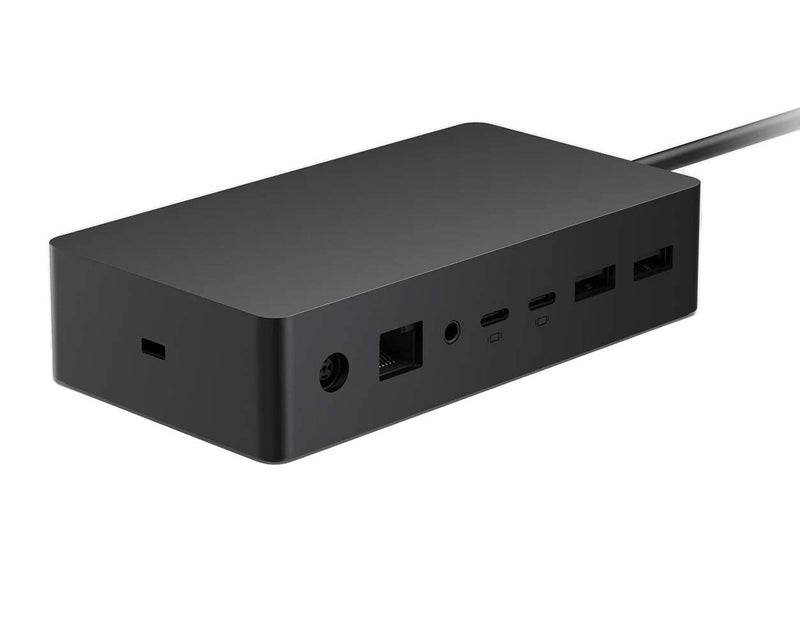
Microsoft 1GK-00001 Surface Dock 2
Turn any Surface device into a full desktop workstation with dual 4K monitor output and high-speed USB-C connectivity in a single cable connection.
$200.99*$215.00Save 6%
View on Amazon
✓ In Stock on Amazon.com
*Price sourced from Amazon.com. Last updated:Oct 25, 2026.Price and availability are subject to change — details.
Affiliate Disclosure: As an Amazon Associate, Studio Supplies earns from qualifying purchases made through links on this page, at no additional cost to you. This helps support our editorial team.
Notice a mistake? Let Us Know
Overview
Key Features
Wired connectivity technology provides a high-powered and dependable connection
Notebook/Desktop PC/Smartphone/Monitor/Keyboard/Mouse device supported according to your requirements with maximum productivity
6 USB ports allows powerful and efficient transfer of data with maximum productivity
Specifications
Model
1GK-00001
Host Connection
Surface Connect (proprietary)
Host Charging Power
Up to 120W
USB-C Ports
2 (front, video + data)
USB-A Ports
4 (2× USB 3.1 Gen 2 rear, 2× USB 3.1 Gen 1 rear)
Total USB Ports
6
Video Output
Dual 4K/60Hz or single 4K/120Hz via USB-C
Network
Gigabit Ethernet (1Gbps)
Connectivity Technology
Wired
Supported Devices
Surface Pro 7+, Surface Laptop 3+, Surface Book 3, Surface Pro X
Frequently Asked Questions
Which Surface devices are compatible with the Surface Dock 2?
The Surface Dock 2 is designed specifically for the Surface ecosystem and connects via the proprietary Surface Connect port. It is compatible with Surface Pro 7 and later, Surface Laptop 3 and later, Surface Book 3, and Surface Pro X. It is not compatible with third-party laptops or Surface devices older than the 7th/3rd generation, so verify your specific Surface model before purchasing.
How many external monitors can I connect, and at what resolution?
The Surface Dock 2 supports dual external monitors. Using its two front-facing USB-C ports, you can drive two 4K displays at 60Hz, or a single 4K monitor at 120Hz. This is a meaningful upgrade over the original Surface Dock, which was limited to lower resolutions via Mini DisplayPort.
What is the USB port breakdown, and what charging speeds does the dock deliver?
The dock provides six USB ports total: two USB-C (front, supporting video output and data), two USB-A 3.1 Gen 2 (rear, 7.5W charging), and two USB-A 3.1 Gen 1 (rear). It delivers up to 120W of power to the host Surface device through the Surface Connect cable — enough to charge even power-hungry Surface models while running a full desktop workstation load.
Does the Surface Dock 2 support Ethernet, and what standard?
Yes — it includes a built-in Gigabit Ethernet (1Gbps) port, which is essential for stable, low-latency wired connectivity in office environments. This is particularly valuable for Surface devices like the Surface Pro that lack a native Ethernet port.
Will this dock work if I also want to connect USB-A peripherals like older keyboards and mice?
Yes — the four USB-A ports (two USB 3.1 Gen 2 at rear, two USB 3.1 Gen 1 at rear) cover legacy USB-A peripherals with no adapters required. You can simultaneously run a keyboard, mouse, external drive, and other USB-A devices alongside your USB-C monitors.
Related Products


