



Microsoft
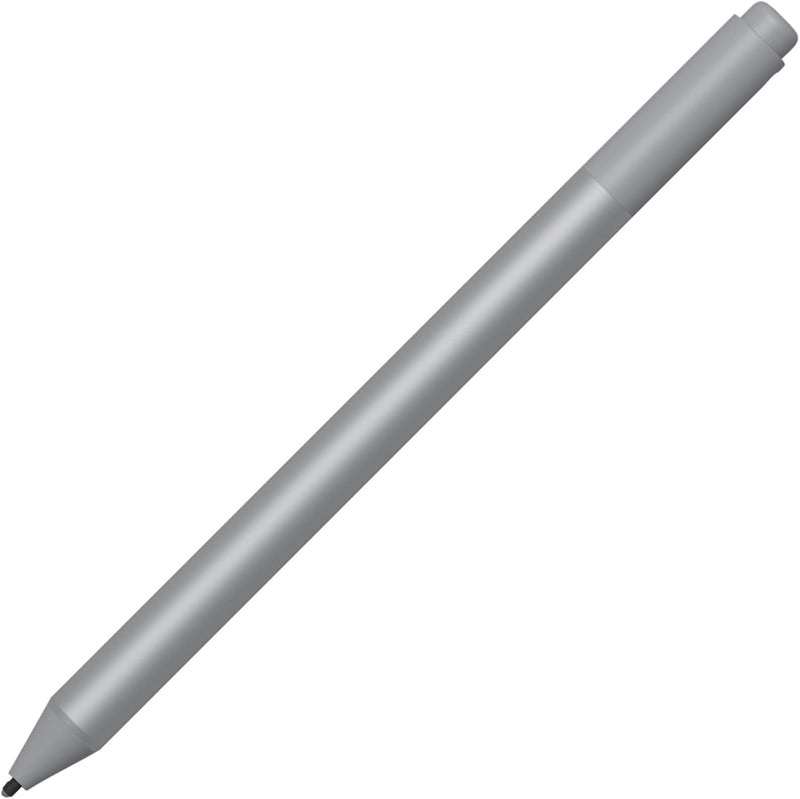
Microsoft EYU-00009 Surface Pen Platinum
★★★★★
bluetooth 4.0
Write, draw, and shade with natural precision using 4,096 pressure levels and zero-lag ink on your Surface device.
$49.99*$64.90Save 22%
View on Amazon
✓ In Stock on Amazon.com
*Price sourced from Amazon.com. Last updated:Jun 04, 2026.Price and availability are subject to change.
Affiliate Disclosure: Studio Supplies may earn a commission from qualifying purchases made through links on this page, at no additional cost to you. This helps support our editorial team.
Notice a mistake? Let Us Know
Overview
Key Features
Surface pen. Write and draw naturally. Create without limits
Precisely sketch and shade with 4,096 pressure points that respond to the lightest touch
Reduced lag/low latency: Ink flows out in real time with no lag or latency
Connector type: bluetooth 4.0. Use Surface Pen with apps like OneNote, Microsoft Office, Adobe Suite, Sketch able, Bluebeam Revue, Draw board, CorelDraw, and Staff pad
Compatibility: Surface Book, Surface Book 2, Surface Studio 1st Gen, Surface Studio 2, Surface Laptop 1st Gen, Surface Laptop 2, Surface Go, Surface Pro 3, Surface Pro 4, Surface Pro 5th Gen, Surface Pro 6, Surface 3, Pen Tip Kit
Specifications
Pressure Sensitivity
4,096 Pressure Points
Tilt Support
Yes
Latency
Virtually Zero Lag
Connectivity
Bluetooth 4.0
Battery
AAAA (single)
Eraser
Built-in Rubber Eraser
Color
Platinum
Compatible Devices
Surface Book, Surface Book 2, Surface Studio (1st & 2nd Gen), Surface Laptop (1st Gen & 2), Surface Go, Surface Pro 3/4/5th Gen/6, Surface 3
Compatible Accessories
Surface Pen Tip Kit
Pros & Cons
👍 Pros
- 4,096 pressure levels provide fine control over line weight and opacity for detailed drawing and handwriting
- Virtually zero lag between pen stroke and on-screen ink creates a natural, paper-like writing experience
- Tilt support enables realistic shading and calligraphy effects without switching tools
- Compatible with a wide range of Surface devices from Surface Pro 3 through Surface Studio 2
- Works with major creative and productivity apps including OneNote, Adobe Suite, CorelDraw, and Sketchable
👎 Cons
- Uses a AAAA battery, which is less common and can be harder to find than standard AAA or AA batteries
- Not compatible with newer Surface models beyond those listed, such as Surface Pro 7 and later
- No built-in charging — battery must be manually replaced rather than recharged via USB-C or magnetic dock
- Bluetooth 4.0 connectivity means pairing must be re-established if the pen is used across multiple devices frequently
Frequently Asked Questions
Which Surface devices is the Surface Pen (EYU-00009) compatible with?
This pen works with Surface Book, Surface Book 2, Surface Studio (1st and 2nd Gen), Surface Laptop (1st Gen and 2), Surface Go, Surface Pro 3 through Pro 6, and Surface 3.
What type of battery does the Surface Pen use and how do I replace it?
The Surface Pen uses a single AAAA battery. To replace it, pull the end cap off the pen, swap in a new AAAA battery, and reattach the cap.
Does the Surface Pen support tilt sensitivity for shading?
Yes, the pen supports tilt functionality, allowing you to angle the pen tip to create natural shading effects just as you would with a pencil or brush.
Can I replace the pen tip if it wears down?
Yes, Surface Pen tips are replaceable. The pen is compatible with the Surface Pen Tip Kit, which includes tips of varying firmness to suit different writing and drawing styles.
How does the Surface Pen connect to my Surface device?
The pen pairs via Bluetooth 4.0. Once paired, the top button can be configured for shortcuts like opening OneNote, taking screenshots, or launching apps.
Related Products


