

Microsoft
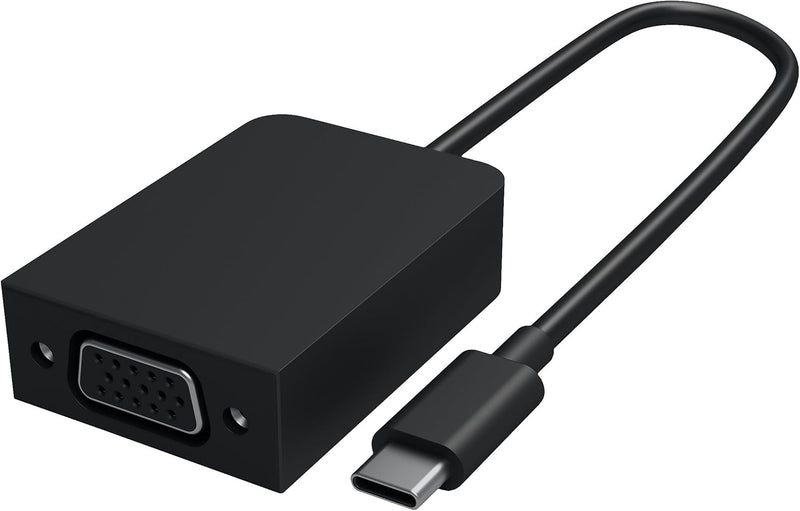
Microsoft HFR-00001 Surface USB-C to VGA Adapter
★★★★★
USB-C
Bridge your Surface Book 2 to any legacy VGA display or projector with a single, Microsoft-validated adapter built for the platform.
View price on Amazon
Affiliate Disclosure: Studio Supplies may earn a commission from qualifying purchases made through links on this page, at no additional cost to you. This helps support our editorial team.
Notice a mistake? Let Us Know
Overview
Key Features
Compatible with surface Book 2
Proprietary VGA adapter lets you share photos, video, and presentations in a way that's larger than life
Plug into VGA-compatible displays, monitors, or projectors
Specifications
Model
HFR-00001
Input Connector
USB-C
Output Connector
VGA (15-pin)
Compatible Device
Surface Book 2
Audio Support
No (video only)
Plug-and-Play
Yes (no drivers required)
Pros & Cons
👍 Pros
- Plug-and-play on Surface Book 2 — no driver installation required, enabling fast setup at conference rooms and client presentations.
- Microsoft-validated for Surface Book 2 specifically, ensuring reliable signal output versus generic USB-C-to-VGA adapters that may produce detection or stability issues.
- Compact form factor stows in a laptop bag pocket and is immediately ready when a VGA projector appears in a meeting room.
- Supports the full range of VGA-compatible displays and projectors — broadly useful for legacy AV infrastructure still common in corporate and educational environments.
👎 Cons
- Officially validated only for Surface Book 2 — not a universal USB-C adapter, which limits its usefulness if you change devices or need to share it with colleagues on different hardware.
- VGA is video-only — no audio passthrough means a separate audio connection is always required when presenting content with sound.
- No USB-C pass-through charging port, meaning this adapter occupies the USB-C port without providing power delivery during use.
- VGA caps practical output at 1080p/60Hz — insufficient for users who need high-resolution or high-refresh external display output.
Frequently Asked Questions
Which Surface devices are officially compatible with the HFR-00001?
Microsoft specifies compatibility with Surface Book 2. The USB-C connector is a standard interface, but the adapter's signal processing is validated specifically for Surface Book 2 — compatibility with other Surface models or non-Surface USB-C devices is not officially supported and may produce inconsistent results.
What maximum resolution does the VGA output support?
VGA is an analog standard. Maximum supported resolution depends on the connected display, but most VGA projectors and monitors support up to 1920×1080 at 60Hz. Note that VGA carries video only — no audio is transmitted through this adapter regardless of display capability.
Does the HFR-00001 pass audio to the connected display?
No. VGA is a video-only analog interface. Audio must be routed separately via the Surface Book 2's headphone jack or Bluetooth — the adapter has no audio path.
Is this suitable for conference room projectors?
Yes — that is the primary use case. The adapter converts USB-C output to a standard VGA signal compatible with any VGA-equipped projector or monitor, and it operates plug-and-play on Windows with no driver installation required.
Does the adapter support hot-plugging while the Surface is running?
Yes. Hot-plug detection is supported, so you can connect and disconnect VGA displays without restarting. Windows detects the display change and adjusts output settings automatically.
Related Products


