

Razer
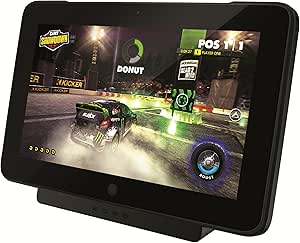
Razer RC81-01100100-R3M1 Edge Docking Station
Transform Your Razer Edge into a Versatile PowerhouseMaximize the potential of your Razer Edge tablet with the Razer Edge Docking Station. Seamlessly connect to a desktop display with peripherals or hook up to the big screen with multiple gamepad controllers for a versatile gaming and entertainme...
Check availability
Affiliate Disclosure: As an Amazon Associate, Studio Supplies earns from qualifying purchases made through links on this page, at no additional cost to you. This helps support our editorial team.
Notice a mistake? Let Us Know
Overview
Transform Your Razer Edge into a Versatile Powerhouse
Maximize the potential of your Razer Edge tablet with the Razer Edge Docking Station. Seamlessly connect to a desktop display with peripherals or hook up to the big screen with multiple gamepad controllers for a versatile gaming and entertainment experience. This docking station expands connectivity and enhances the functionality of your Razer Edge.
- Ports: 3x USB 2.0, HDMI, MIC in/Stereo out
Key Features
Home Console Mode
Ready to Connect
It's a Tablet. It's a Home Console
Specifications
Product Type
Docking Station
Compatibility
Razer Edge
Functionality
Home Console Mode, Ready to Connect
Frequently Asked Questions
What is the main purpose of the Razer Edge Docking Station?
The Razer Edge Docking Station is designed to transform your Razer Edge tablet into a home console, allowing you to play games on a larger screen.
Is this docking station compatible with other tablets?
No, the Razer Edge Docking Station is specifically designed for use with the Razer Edge tablet only.
What does "Ready to Connect" mean for this docking station?
"Ready to Connect" implies that the docking station provides a straightforward and quick way to link your Razer Edge tablet to your home entertainment system.
Can I use a controller with my Razer Edge when it's in the docking station?
When in home console mode via the docking station, the Razer Edge is typically set up for use with a controller, optimizing the gaming experience on a TV.
Does the docking station enhance the tablet's performance?
The docking station primarily extends the tablet's functionality to a home console setup, rather than inherently enhancing its internal processing performance.
Related Products


