



Sony
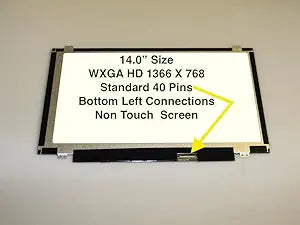
Sony A818185S445O 14" WXGA Glossy LED Screen
A 14-inch WXGA glossy LED replacement screen compatible with the Sony Vaio VPCEA4AFX laptop.
Check availability
Affiliate Disclosure: As an Amazon Associate, Studio Supplies earns from qualifying purchases made through links on this page, at no additional cost to you. This helps support our editorial team.
Notice a mistake? Let Us Know
Overview
Specifications
Brand
Sony
Model
A818185S445O
Screen Size
14 inches
Resolution
WXGA (1366 x 768)
Finish
Glossy
Backlight Type
LED
Compatible Laptop
Sony Vaio VPCEA4AFX
Frequently Asked Questions
Which laptop models is this replacement screen compatible with?
It is listed as a compatible replacement for the Sony Vaio VPCEA4AFX. Always verify your exact laptop model and screen part number before ordering to ensure a proper fit.
What resolution does this screen display?
It is a WXGA panel, which provides a resolution of 1366 x 768 pixels on a 14-inch diagonal.
Is this a glossy or matte finish screen?
This is a glossy (glare-type) LED screen, which produces more vivid colors but can show reflections in bright environments.
Does this screen require soldering or special tools to install?
Typically, laptop screen replacements involve removing bezel screws, disconnecting the existing LVDS cable, and reversing the process with the new panel. No soldering is needed, though a small Phillips screwdriver and a plastic pry tool are recommended.
Does a backlight come built into this screen?
Yes, this is an LED-backlit panel, so the backlight is integrated and does not require a separate inverter board.
Related Products

