


Synology
Synology DS1621xs+ 6-Bay NAS DiskStation - Diskless
Scalable Storage for Your Growing Business: The Synology DS1621xs+The Synology DiskStation DS1621xs+ is a high-performance NAS solution designed to meet the demands of modern businesses. With its 6-bay design, 10GbE connectivity, and scalable storage options, the DS1621xs+ provides a robust platf...
View on Amazon for pricing
Affiliate Disclosure: As an Amazon Associate, Studio Supplies earns from qualifying purchases made through links on this page, at no additional cost to you. This helps support our editorial team.
Notice a mistake? Let Us Know
Overview
Scalable Storage for Your Growing Business: The Synology DS1621xs+
The Synology DiskStation DS1621xs+ is a high-performance NAS solution designed to meet the demands of modern businesses. With its 6-bay design, 10GbE connectivity, and scalable storage options, the DS1621xs+ provides a robust platform for data management, collaboration, and protection.
Specifications:
- Model: Synology DiskStation DS1621xs+
- Number of Bays: 6
- Connectivity: 10GbE
- Cache Slots: Built-in M.2 SSD cache slots
- Warranty: Synology 5-year limited warranty
- Note: Diskless
Specifications
Product Type
NAS DiskStation
Drive Bays
6
Drives Included
Diskless (None)
Similar Products
Other products from the same family that visitors often consider:
 Currently Unavailable
Synology DiskStation DS1621xs+ 6-Bay NAS (Diskless)
Check on Amazon → Currently Unavailable
Synology DS1621+ 6-Bay NAS DiskStation (Diskless)
Check on Amazon → ✓ Available
Synology DS620slim 6-Bay Compact NAS Diskless
$487.99
View on Amazon → Currently Unavailable
Synology DS620slim DiskStation 6-Bay NAS Storage System
Check on Amazon →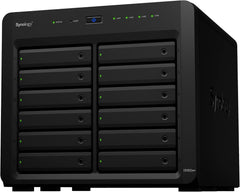 ✓ Available
Synology DS3622xs+ 12 Bay DiskStation NAS (Diskless)
$3,449.99
View on Amazon →Frequently Asked Questions
What does "Diskless" mean for the Synology DS1621xs+ NAS?
"Diskless" means that the Synology DS1621xs+ NAS unit does not come with any hard drives pre-installed, requiring the user to purchase and install drives separately.
How many drive bays does this NAS have?
The Synology DS1621xs+ is a 6-Bay NAS, allowing for the installation of up to six hard drives for significant storage capacity.
Is this NAS suitable for beginners?
While Synology's operating system is generally user-friendly, setting up a diskless NAS and configuring storage arrays like RAID might require some technical understanding or a willingness to learn.
Can this NAS be used as a media server?
The Synology DiskStation series is generally well-suited for media serving, offering centralized storage and potential for media streaming, but specific features would depend on the Synology DSM software.
What kind of hard drives are compatible with this NAS?
As an enterprise-grade NAS, it generally supports SATA hard drives, but specific compatibility lists are usually available on Synology's official website.
Related Products
