

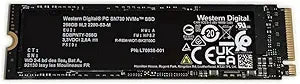


Western Digital
Western Digital SDBPNTY-256G WD 256GB Gaming SSD
PCIe Gen3
PCIe Gen3 NVMe speed in a compact M.2 2280 form factor — WD's SN730 erases load times across laptops and desktops.
$99.99*
View on Amazon
✓ In Stock on Amazon.com
*Price sourced from Amazon.com. Last updated:Oct 23, 2026.Price and availability are subject to change — details.
Affiliate Disclosure: As an Amazon Associate, Studio Supplies earns from qualifying purchases made through links on this page, at no additional cost to you. This helps support our editorial team.
Notice a mistake? Let Us Know
Overview
Key Features
High Capacity: 256GB Solid State Drive for gaming and other demanding applications
Fast Performance: PCIe Gen3 x4 NVMe interface for rapid data transfer
Compact Design: M.2 2280 form factor for slim profile
Reliable Brand: Western Digital SSD for quality and durability
Works with Dell, HP, Lenovo and other major brands
Specifications
Brand
Western Digital
Model
SDBPNTY-256G (SN730)
Capacity
256GB
Form Factor
M.2 2280
Interface
PCIe Gen3 x4 NVMe
Compatibility
Dell, HP, Lenovo laptops and desktops
ASIN
B09X2V87J6
Similar Products
Other products from the same family that visitors often consider:
 ✓ Available
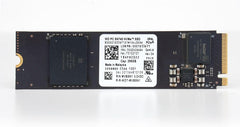
Western Digital 256GB M.2 NVMe Gen4 Gaming SSD
$74.44
View on Amazon →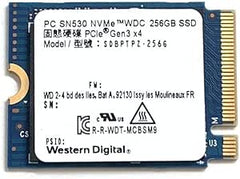 ✓ Available
Western Digital SDBPTPZ-256G 256GB M.2 2230 NVMe SSD
$79.99
View on Amazon → Currently Unavailable
Western Digital SN730 256GB NVMe M.2 SSD - OEM
Check on Amazon → ✓ Available
Western Digital WDBKVX2560PSL-WESN 256GB My Passport SSD
View on Amazon → ✓ Available
Western Digital WDBK3E2560PSL-WESN 256GB My Passport Portable SSD
$216.00
View on Amazon →Frequently Asked Questions
What interface does this SSD use and what does that mean for speed?
PCIe Gen3 x4 NVMe. That's a four-lane PCIe 3.0 connection with the NVMe protocol, which bypasses the legacy SATA command queue entirely. Real-world sequential reads on the SN730 platform typically land in the 3,400–3,500 MB/s range — roughly six times the ceiling of a SATA SSD.
Will this SSD fit my laptop or desktop?
It uses the M.2 2280 form factor (22mm wide, 80mm long), the most common M.2 size. It is compatible with Dell, HP, and Lenovo systems confirmed by Western Digital, as well as most other desktops and laptops with an M.2 PCIe slot. Verify your system has an NVMe-capable M.2 slot — a SATA-only M.2 slot will not work with this drive.
Is 256GB enough for a gaming drive?
It depends on the use case. 256GB is workable as a boot and OS drive or for a targeted game library, but a single modern AAA title can consume 50–100GB. Users with large game libraries will find 256GB constraining; this capacity is best suited for a dedicated system drive or supplemental cache drive alongside larger storage.
Does this drive support hardware encryption?
The WD SN730 platform supports AES 256-bit hardware encryption. This is useful for enterprise and secure deployment scenarios where data-at-rest protection is required.
How does PCIe Gen3 compare to Gen4 for everyday use?
For most gaming and productivity workloads, the bottleneck is rarely the SSD itself — even Gen3 NVMe speeds far outpace what most workflows saturate. The difference becomes measurable only in sustained large-file transfers or content creation pipelines moving multi-gigabyte assets regularly.
Related Products


