How to Swap a CPU on an AM4 Motherboard (Ryzen Drop-In Upgrades)
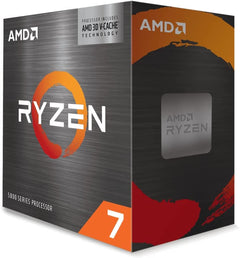
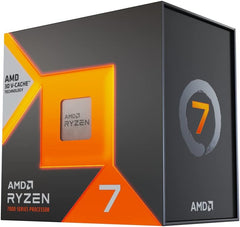
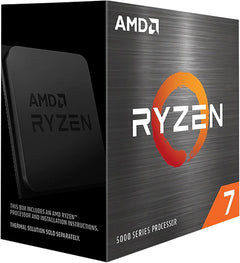
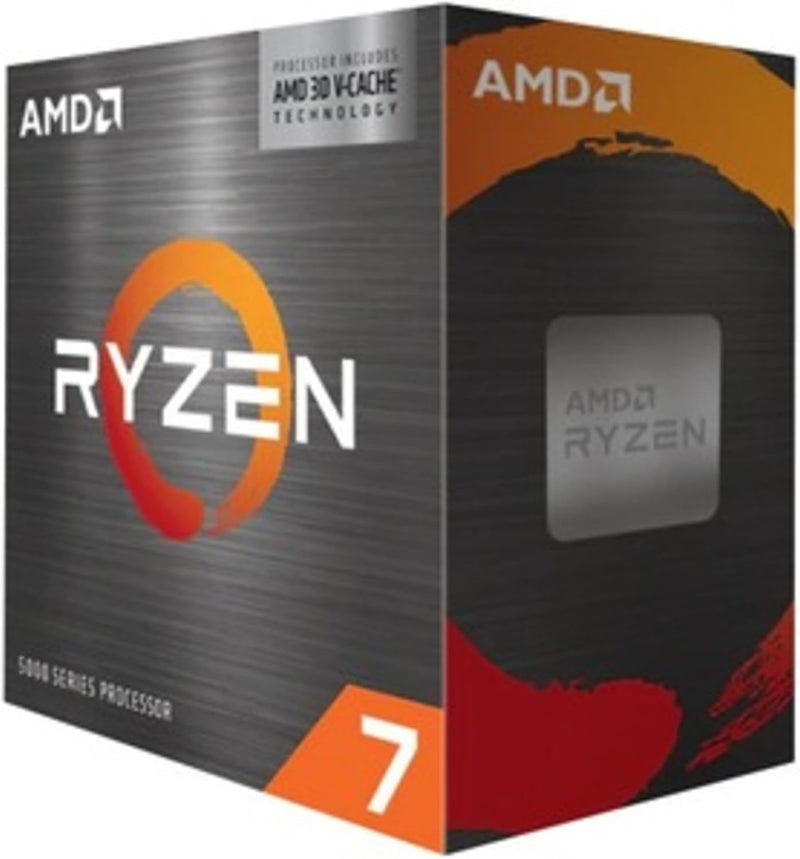
AMD's AM4 platform supports drop-in CPU upgrades across Zen 2 and Zen 3 architectures — a Ryzen 5 3600 owner with a B450 or X570 board can step up to a Ryzen 7 5800X3D, Ryzen 7 5700X3D, or Ryzen 9 5900X using the same socket, cooler, and memory. According to AnandTech's review, the 5800X3D's 96 MB 3D V-Cache makes it the definitive AM4 gaming peak, while TechPowerUp confirmed the 5700X3D delivers similar gaming performance at a lower price point. The total swap time, including BIOS preparation, is typically under 45 minutes.
Step Zero: BIOS Update Is Mandatory on B450/X470
B450 and X470 boards shipped before Zen 3 existed. Installing a Ryzen 5000-series CPU without first flashing a compatible AGESA version results in a board that will not POST. Check the board's CPU Support List on the manufacturer's product page, confirm the current BIOS version in the BIOS setup screen, and flash to the required version with the existing CPU before swapping. Boards with BIOS Flashback (ASUS) or Flash BIOS Button (MSI) can flash without any installed CPU — consult the board manual for the correct USB port and button procedure.
Safety
AM4 is a PGA (Pin Grid Array) socket: the pins are on the CPU. Handle the processor by its edges, never touching the gold pins on the bottom. Power off completely, flip the PSU rocker switch off, and touch the bare metal chassis before reaching inside. Bent CPU pins from incorrect insertion or forceful seating are a real risk — always verify alignment before lowering the retention arm.
Tools Needed
- Phillips #1 and #2 screwdrivers (cooler bracket screws; sizes vary by cooler)
- Isopropyl alcohol 90%+ and lint-free cloth (for removing old thermal paste)
- Fresh thermal paste (do not reuse dried paste from the previous installation)
Installation Steps
- Back up BIOS settings — photograph custom XMP/DOCP profile, fan curves, voltage adjustments. A CPU swap resets these to defaults on most boards.
- Update BIOS first — if the current BIOS does not include Zen 3 microcode, flash the update with the existing CPU installed. Confirm the update completes and the correct BIOS version is showing before proceeding.
- Power off and discharge — shut down through the OS, flip the PSU rocker switch off, press the case power button once to discharge capacitors. Touch the bare metal chassis interior before reaching inside.
- Remove the CPU cooler — loosen mounting screws in a diagonal pattern to release pressure evenly. Gently twist the cooler to break the paste bond before lifting. Disconnect the CPU fan header.
- Clean IHS and cooler base — wipe both surfaces with isopropyl alcohol on a lint-free cloth until clean and dry.
- Remove the old CPU — lift the AM4 retention arm fully, then lift the CPU straight out by its edges. Inspect the socket contact pins under a bright light for any bent pins before proceeding.
- Install the new CPU — align the gold triangle on the CPU corner with the triangle on the AM4 socket. Lower the CPU flat without sliding. It should settle by gravity with zero lateral force. Close the retention arm.
- Apply thermal paste and reseat the cooler — place a pea-sized dot of fresh paste at the center of the new CPU's IHS. Mount the cooler with even pressure, tightening screws in a diagonal pattern in multiple passes. Reconnect the CPU fan header.
- Boot to BIOS — verify the new CPU model and core count are detected correctly.
- Re-enable XMP/DOCP — memory settings reset to JEDEC defaults on CPU swap. Re-enable the XMP or DOCP profile for rated memory speed. Save and reboot.
- Update chipset drivers — download and install the latest AMD chipset driver package from AMD's support and downloads page. Reboot after installation.
Troubleshooting in Brief
- System won't POST (CPU LED solid): BIOS does not include microcode for the new CPU. Flash the BIOS update — use Flashback if the board supports it.
- Temperatures high at idle: Cooler not seated flat. Recleaning and remounting is the fix. On Ryzen 7 5800X3D and 5700X3D, AMD's 90°C thermal limit is by design at full load per TechPowerUp's review; idle above 50°C at stock indicates a seating problem.
- Memory not at rated speed: XMP/DOCP was not re-enabled. Enable the profile in BIOS memory settings.
- Performance below expectation: Confirm XMP is active and chipset drivers are current. Enable PBO in BIOS for full auto-boost headroom.
AM4 Platform Ceiling
AM4 has no path to Zen 4 or Zen 5 — those require AM5 with DDR5 memory. The definitive AM4 gaming peak is the Ryzen 7 5800X3D (96 MB 3D V-Cache) or Ryzen 7 5700X3D; the productivity ceiling is the Ryzen 9 5950X (16-core). According to TechPowerUp's 5800X3D review, the processor competes with significantly more expensive AM5 parts in gaming benchmarks due to cache latency advantages in game engines.
The full guide with BIOS update procedures, cooler removal details, pin inspection guidance, and complete troubleshooting is at studio-supplies.com/blogs/guides/cpu-swap-am4-ryzen-upgrade-guide.
Sources & Citations
- AMD, "Ryzen 5000 Series Desktop Processors," amd.com (accessed 2026-05-31)
- AMD, "Ryzen 7 5800X3D Product Specifications," amd.com (accessed 2026-05-31)
- AnandTech, "The AMD Ryzen 7 5800X3D Review: Value Gaming Masterpiece," anandtech.com (accessed 2026-05-31)
- TechPowerUp, "AMD Ryzen 7 5800X3D Review," techpowerup.com (accessed 2026-05-31)
- TechPowerUp, "AMD Ryzen 7 5700X3D Review," techpowerup.com (accessed 2026-05-31)
- AMD, "AM4 Platform Support FAQ," amd.com (accessed 2026-05-31)
Last verified: 2026-05-31